
Login to your account!
Join the World's Largest Web App Marketplace!
Great to see you here!
Let’s set up your account in just a couple of steps.
Forgot password?
Enter your username or email to reset your account.
FieldOps | Multi-Vendor Field Service Management & ERP Platform Laravel + Flutter Android/iOS App
By : BugBuild-Labs Published On Friday, November 13, 2026, 20:57 In Mobile
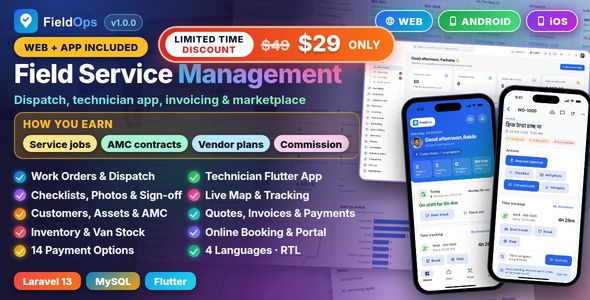
FieldOps | Multi-Vendor Service Management Platform With Flutter Mobile App
FieldOps is a field service management platform for AC, appliance, cleaning, pest control, repair and
similar service companies. It runs your own service company and, if you switch it on, a multi-vendor marketplace of other
service companies: a platform admin console, a company workspace for work orders, dispatch, customers,
assets, contracts, quotations, invoices, inventory and teams, a customer portal, a public website with online booking
and live job tracking, and a native Flutter app for technicians, managers and customers (Android and iOS). One item, two
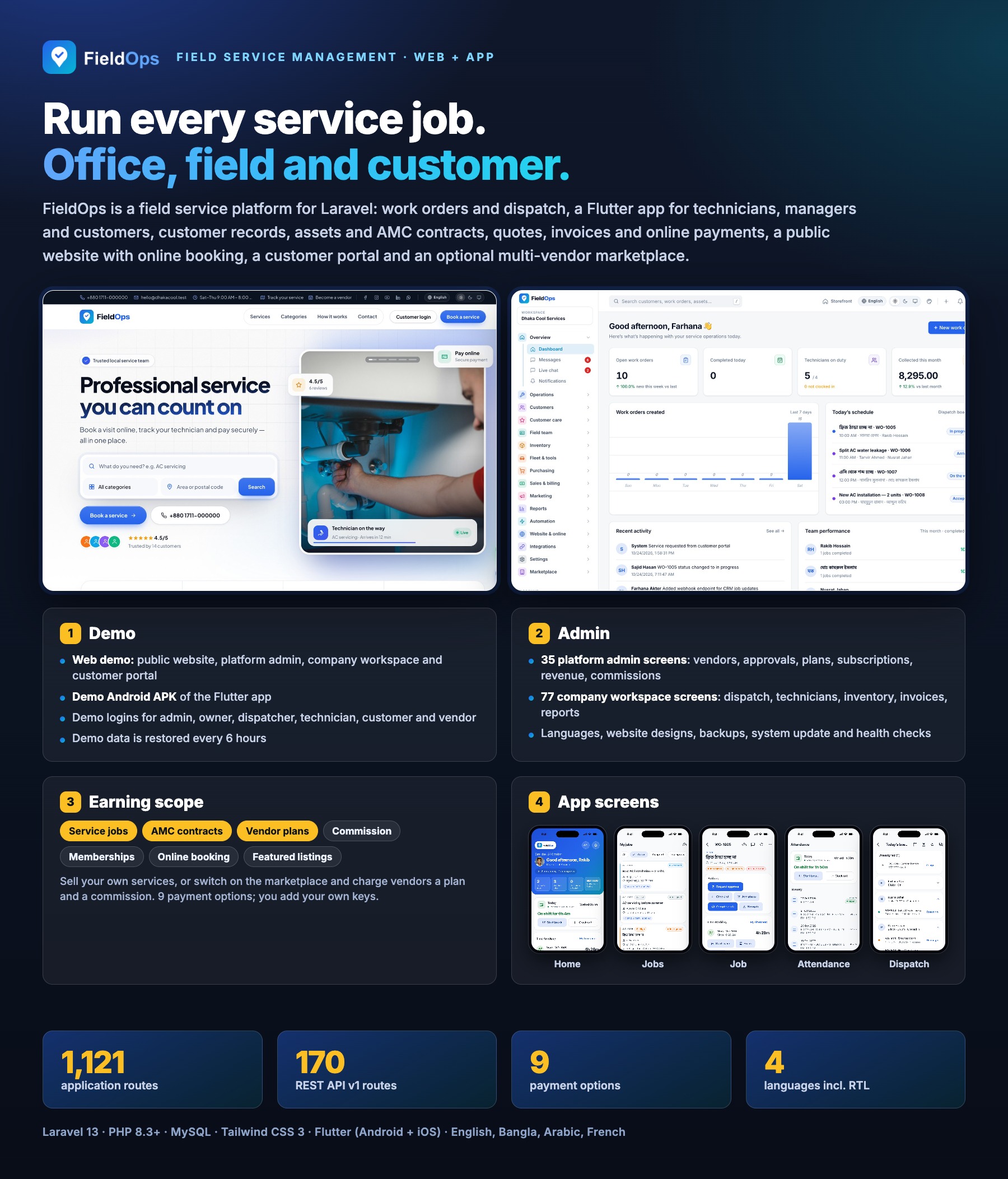
deliverables: the Laravel 13 web platform (1,121 routes, including 170 REST API v1 routes) and the Flutter app that uses that API.
Technicians accept jobs, navigate, check in, fill checklists, take before/after photos, use parts from their van stock, collect the
customer’s signature and payment, and keep working offline. Customers book online, follow the technician on a map, approve quotations and
pay invoices. English, Bangla, Arabic (right-to-left) and French are included on the web and in the app.
AI Disclosure
|
Optional AI features use YOUR own Anthropic (Claude) account. Job summaries and service reports, customer reply drafts, request classification, checklist generation and knowledge-base answers send the job notes, messages and uploaded documents involved to Anthropic’s Claude API with the API key you configure (a platform key, or each company’s own key). No key is included; without one the AI buttons stay off and the rest of the platform works normally. Usage is billed to you by Anthropic and is not included in the item price. A monthly token cap, a rate limit and a usage log are built in. AI tools were used to create this item. AI tools assisted in creating parts of the source code (Laravel and Flutter), the documentation, the README files and the listing graphics. The listing graphics are built from real screenshots of the running application; no AI-generated images are shown as product screens. All code and content were reviewed and tested by the author, and the item ships with its automated test suites. |
Third-Party Accounts and Costs
|
You need your own accounts with these services and pay their fees directly. None of them is included in the item price.
All of these integrations were tested with simulated responses in the automated tests; test each one with your own sandbox credentials before going live. |
Live Demo
Web
Website: https://fieldsops.bugbuild.com
Platform admin and company workspace ·
Customer portal
Demo logins (password for all: 12345678)
Platform admin: [email protected]
Company owner (Metro Cool Services): [email protected]
Dispatcher: [email protected]
Technician: [email protected]
Customer portal: [email protected]
Marketplace vendor owner (Sparkle Clean Co.): [email protected]
Android app
Download the demo APK
— connects to the live demo; sign in with [email protected] / 12345678 or use “Try the demo” on the login screen. Customers: tap “Customer sign in” and use [email protected] / 12345678, or “Try the demo · Customer panel”.
Documentation
https://fieldsopsdocs.bugbuild.com
The demo logins are also offered on the demo login page. On the demo, password changes, payment and messaging credentials, system update, backup download and deleting companies, accounts or users are blocked, and the demo data is restored every 6 hours, so please do not change the demo passwords. A fresh installation creates only the company and admin account you enter in the installer.
The screenshots of this item show the web platform (admin console, company workspace, customer portal, website) and the Flutter app, captured from a seeded installation.
What You Get
- Laravel Web Platform — platform admin console (35 screens), company workspace (77 screens, plus 5 vendor-only screens), customer portal, public website with online booking, REST API v1.
- Flutter Mobile App — one native codebase for Android and iOS (no WebView), 72 screens for technicians, dispatchers, managers and customers, offline-first.
- Optional multi-vendor marketplace — vendor sign-up and approval, plans, commissions and a public service catalogue; one setting, chosen in the installer and switchable later.
- Full source code, migrations, seeders with a complete demo company, automated tests and documentation, in
Main_Files/WebSourceCode,Main_Files/AppSourceCodeanddocumentation. - Plain, readable PHP and Dart — no encoded files.
- Web installer — requirements check, Envato purchase code, database, site and first admin, multi-vendor on or off. CLI alternative:
php artisan fieldops:install. Updates from a zip in the admin console.
Application Features
Work Orders and Dispatch
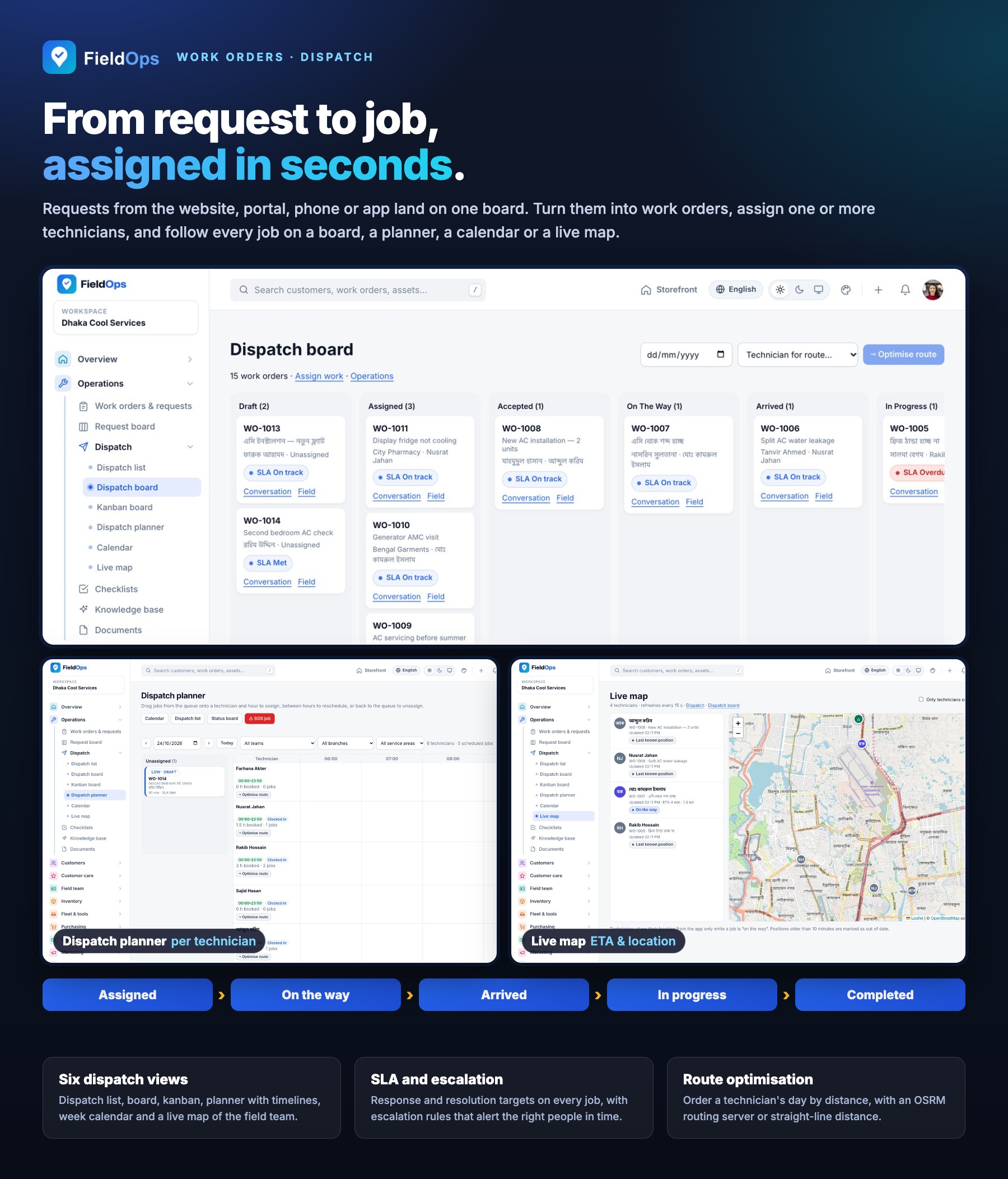
- Service requests and work orders with a request board, priorities, SLA escalation and arrival/completion verification codes
- Dispatch views: list, board, kanban, planner, calendar and a live map of technicians and jobs
- Route optimisation (straight-line distance or your OSRM server), emergency jobs and maintenance work orders
- Checklists, knowledge base and documents, team messages and global search
- Reports, analytics, job profitability and a technician scorecard
Technician Field Flow
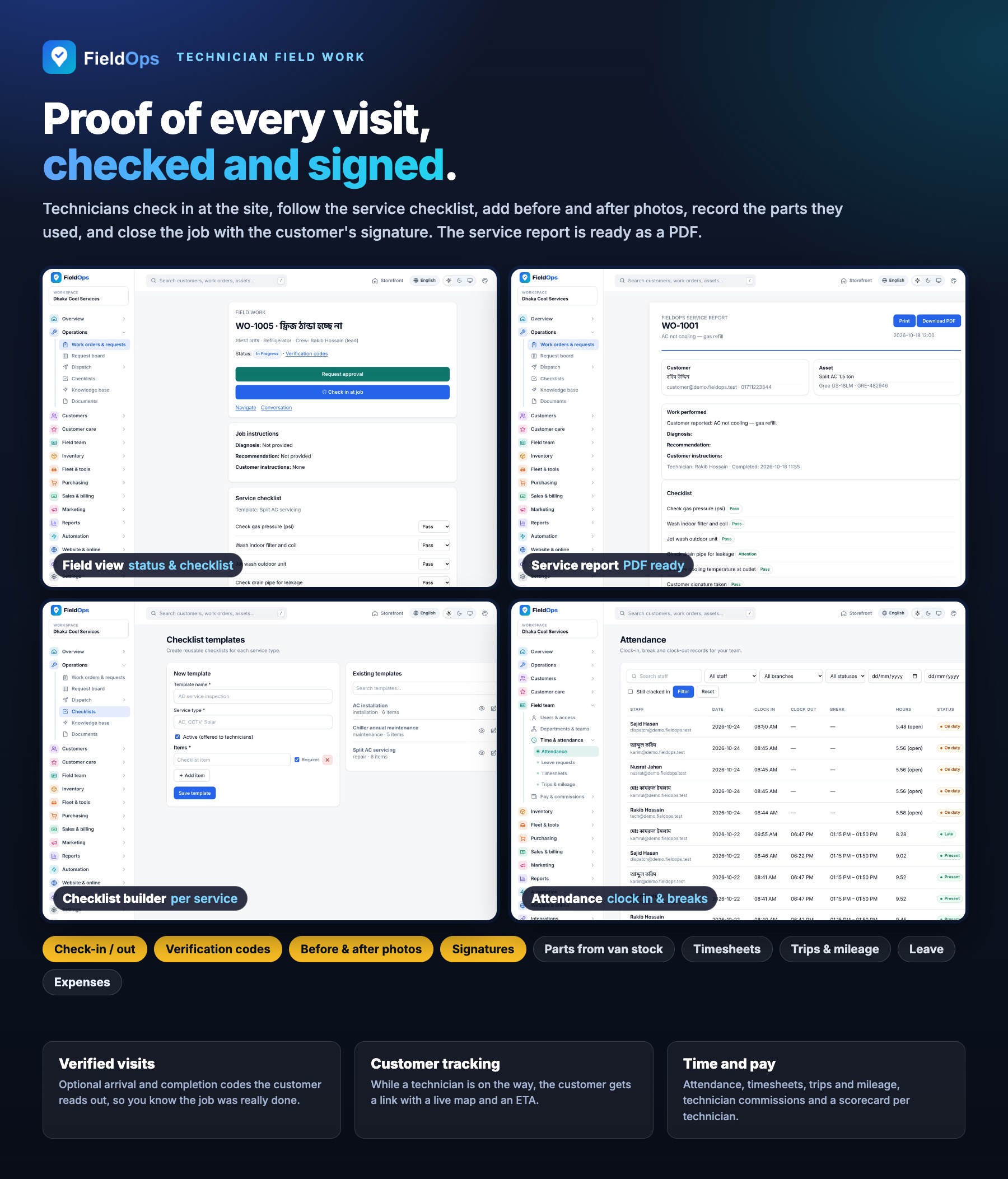
- Job statuses assigned, accepted, on the way, arrived, in progress, awaiting approval and completed
- Check-in and check-out, checklist submission and before/after photo evidence
- Parts used and returned from the technician’s van stock, job notes and escalation history
- Completion with customer and technician signatures, then invoice, payment collection and receipt on site
- On-site estimates from the price book with customer approval, and job chat with the customer
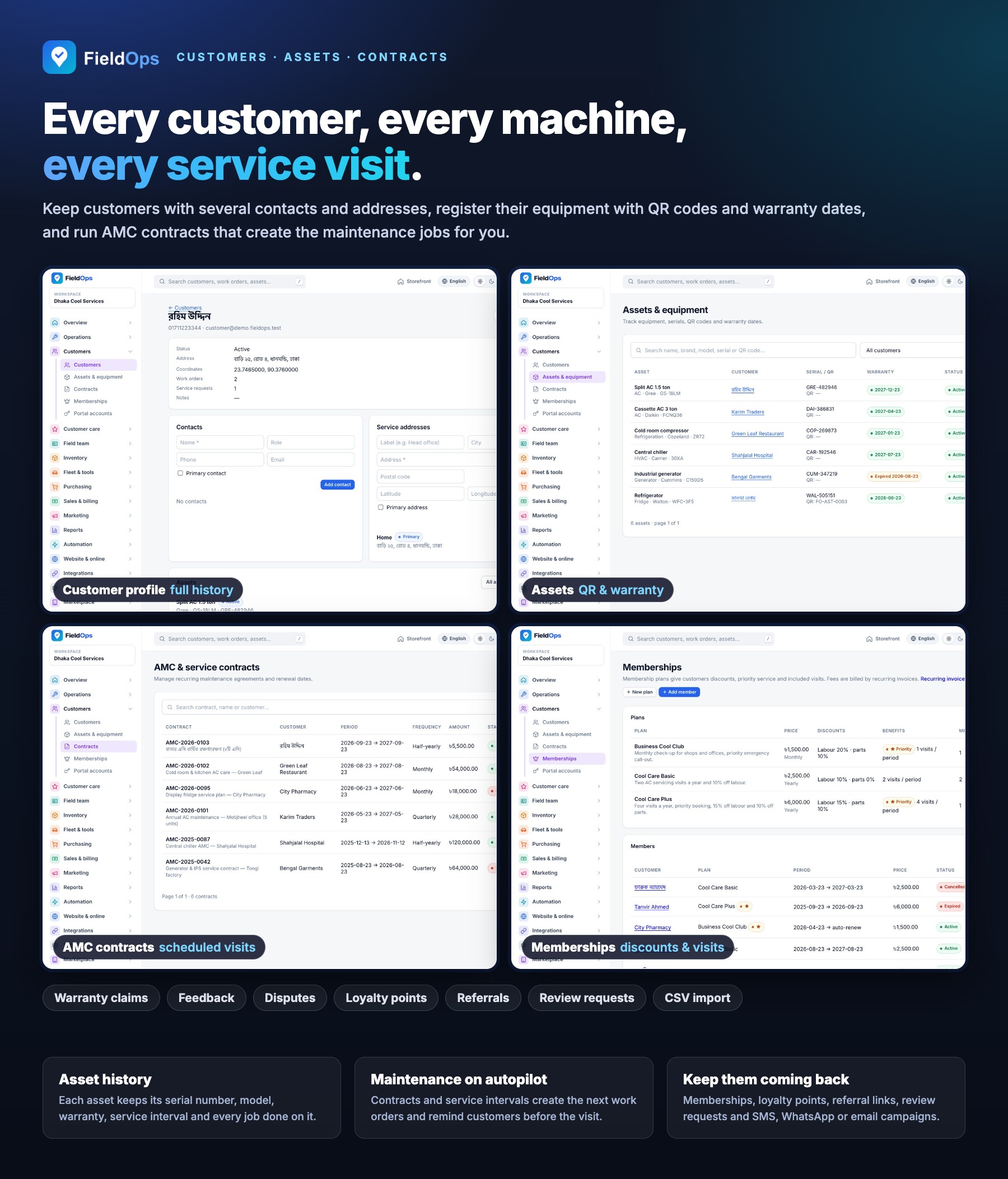
Customers, Assets and Contracts
- Customer profiles and customer portal accounts
- Assets and equipment with QR codes, warranty claims and asset service requests from the app
- Annual maintenance contracts (AMC) and memberships with service-due and renewal reminders
- Feedback and complaints, disputes, custom fields and CSV import of customers, products and assets
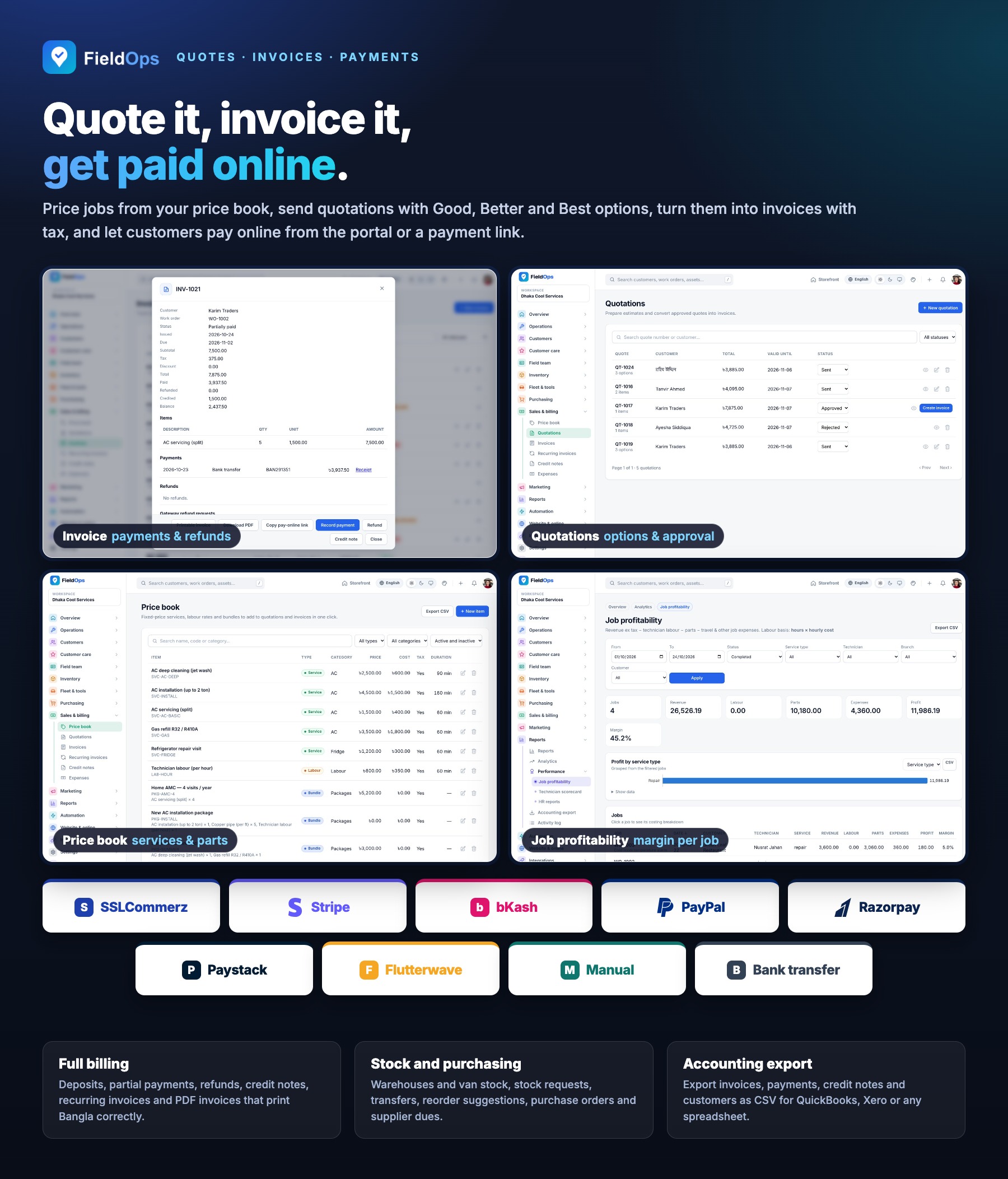
Quotations, Invoices and Payments
- Price book and quotations with Good / Better / Best options that customers approve or reject online
- Invoices with deposits, recurring invoices, credit notes, expenses and PDF documents (Bangla-capable)
- Refunds of online payments go back through the gateway’s refund API (all 7 online gateways) and are confirmed automatically
- 9 payment methods: SSLCommerz, Stripe, bKash, PayPal, Razorpay, Paystack, Flutterwave, manual / offline and bank transfer, with signed webhooks or IPN
- Accounting export as CSV for QuickBooks, Xero or a generic format (export only, no live sync)
Payment services: the online gateways are third-party services. You create and maintain your own merchant accounts, credentials, webhooks and compliance settings and pay their transaction and currency fees.
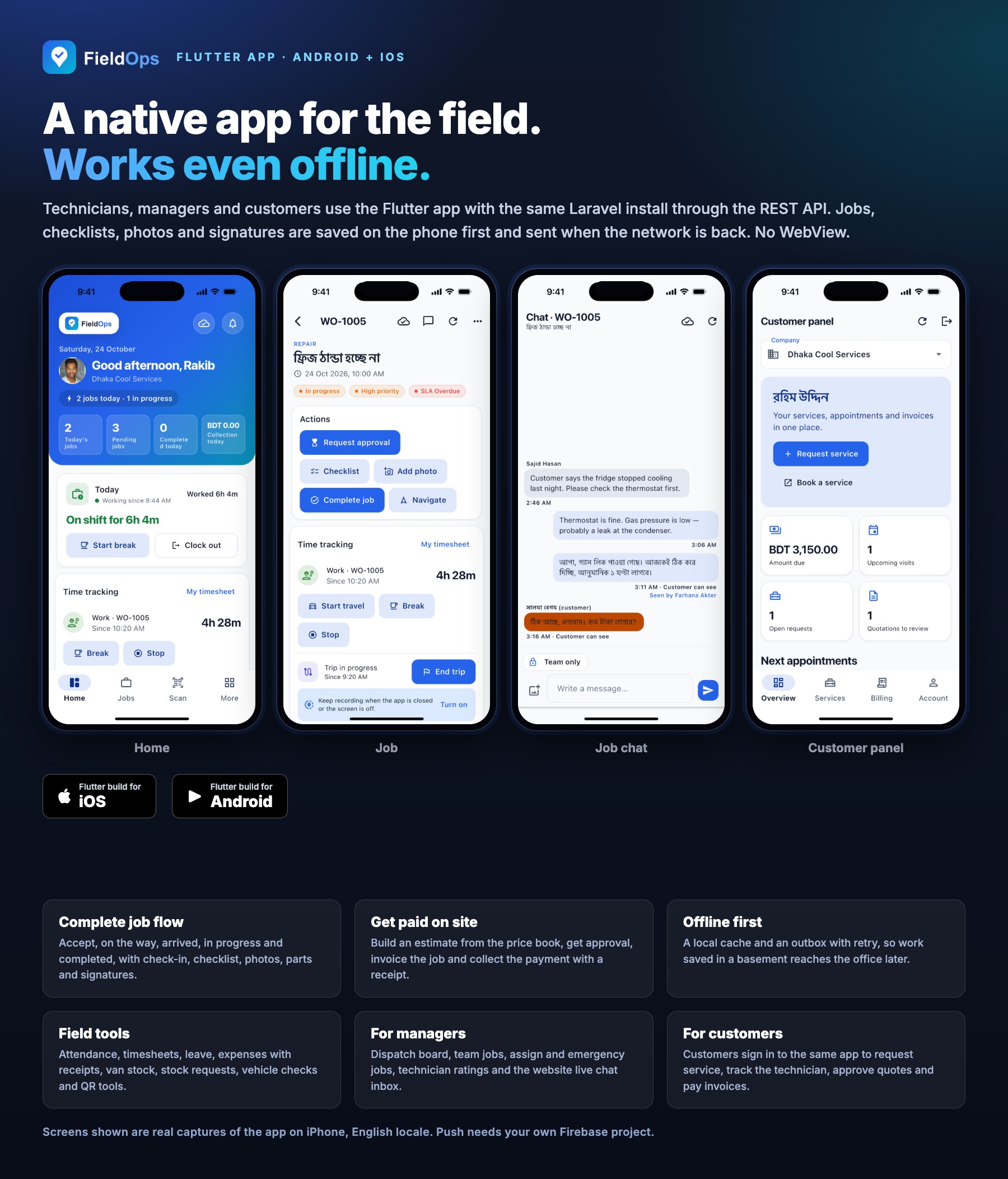
Flutter Mobile App (Android + iOS)
- Native Flutter UI: email or phone login, two-factor code, biometric unlock and one-tap demo logins on demo servers
- Customer panel in the same app: service requests, booking, appointments with live tracking and reviews, quotation approval, invoices with online payment, payments, assets, warranty claims, contracts and PDFs
- Technician dashboard with earnings, today’s route, jobs, attendance with breaks, timesheets, trips, leave and expenses with receipts
- Van stock and stock requests, my vehicle (fuel, odometer, checks), tools with QR check-out, asset QR scan and service requests
- Dispatcher and manager screens: dispatch board, team jobs, assign job, emergency job, technician ratings and the website live-chat inbox
- Offline-first: local cache and an outbox with retries for uploads; GPS pings while on the way and opt-in background location
- FCM push needs your own Firebase project (a free Google service with its own terms)
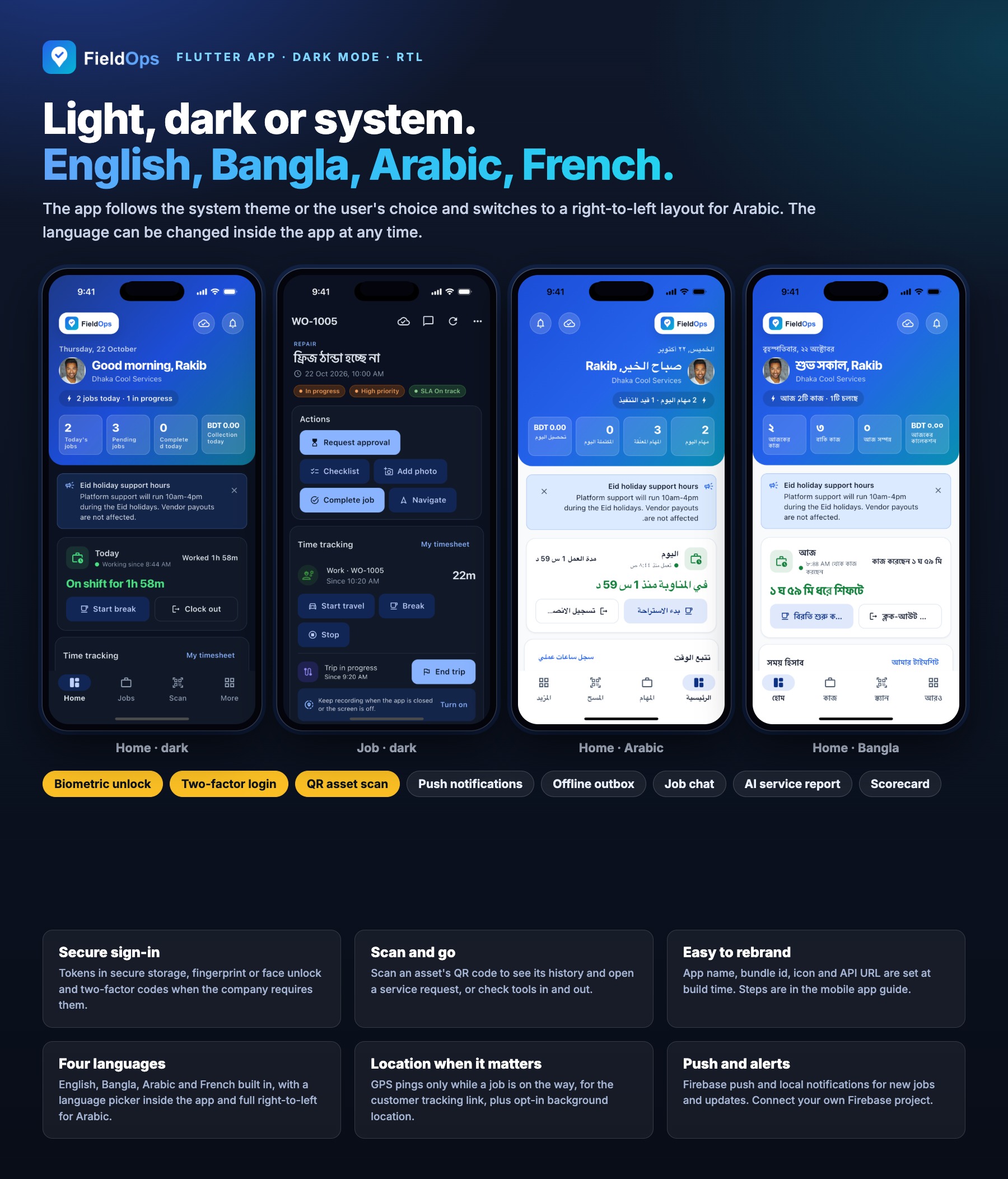
Languages, Themes and RTL
- English, Bangla, Arabic (right-to-left) and French on the web and in the app
- Language manager with a per-language translation editor; RTL detected automatically
- Light and dark mode with five panel themes (Brand, Ocean, Forest, Sunset, Graphite) on the web
- Light, dark or system theme and an in-app language picker in the app
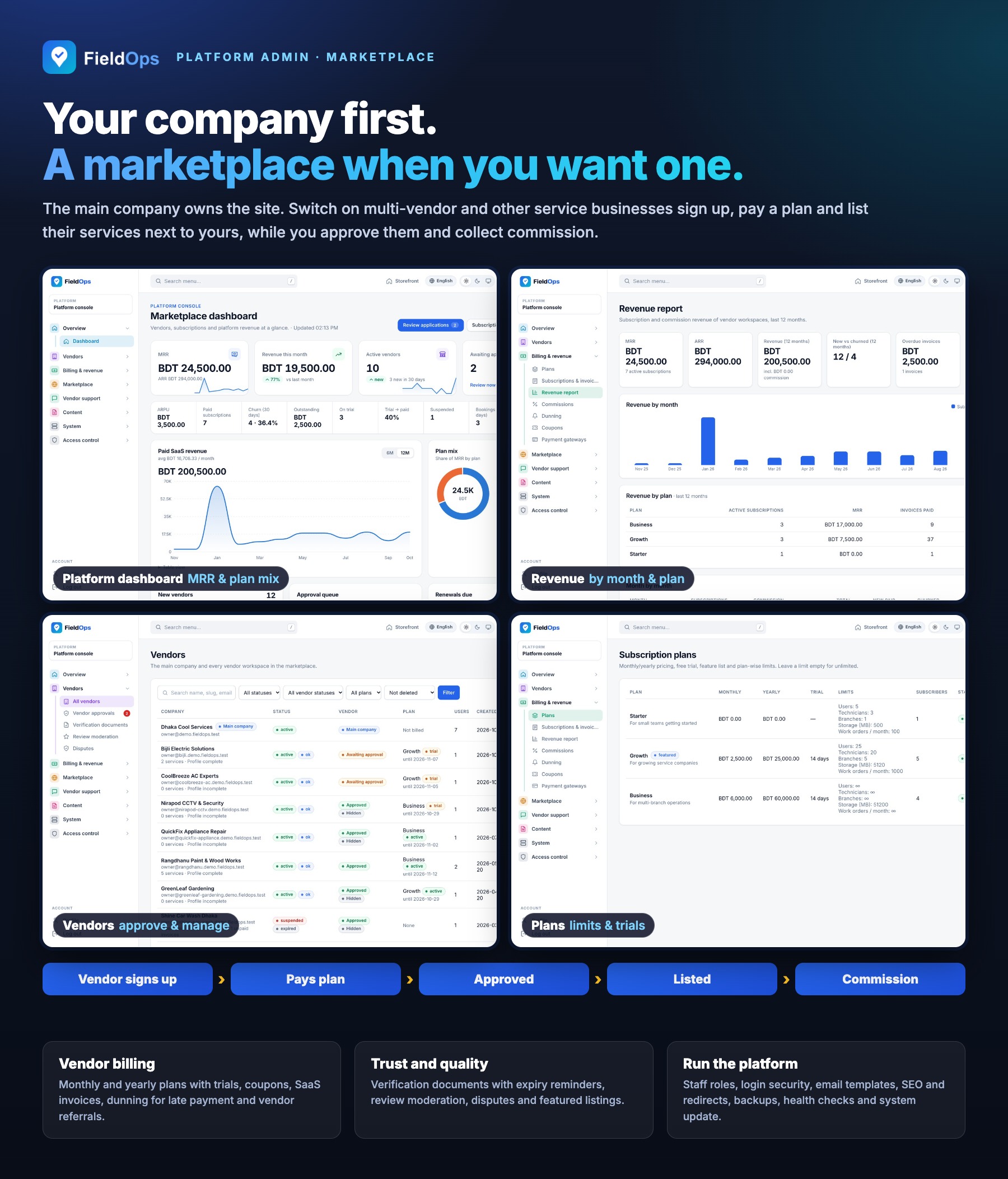
Platform Admin Console and Multi-Vendor Marketplace
- Dashboard with trends, plan mix, expiring subscriptions, recent payments and top vendors
- Vendors: approvals, verification documents with expiry reminders, review moderation and disputes
- Billing: plans (monthly or yearly, trials), subscriptions and invoices, coupons, dunning, commissions on marketplace bookings and platform payment gateways
- Marketplace categories and service areas, featured listings, vendor referrals, vendor support tickets and announcements
- Content: email templates, become-a-vendor page, SEO and redirects, languages; staff roles and impersonation
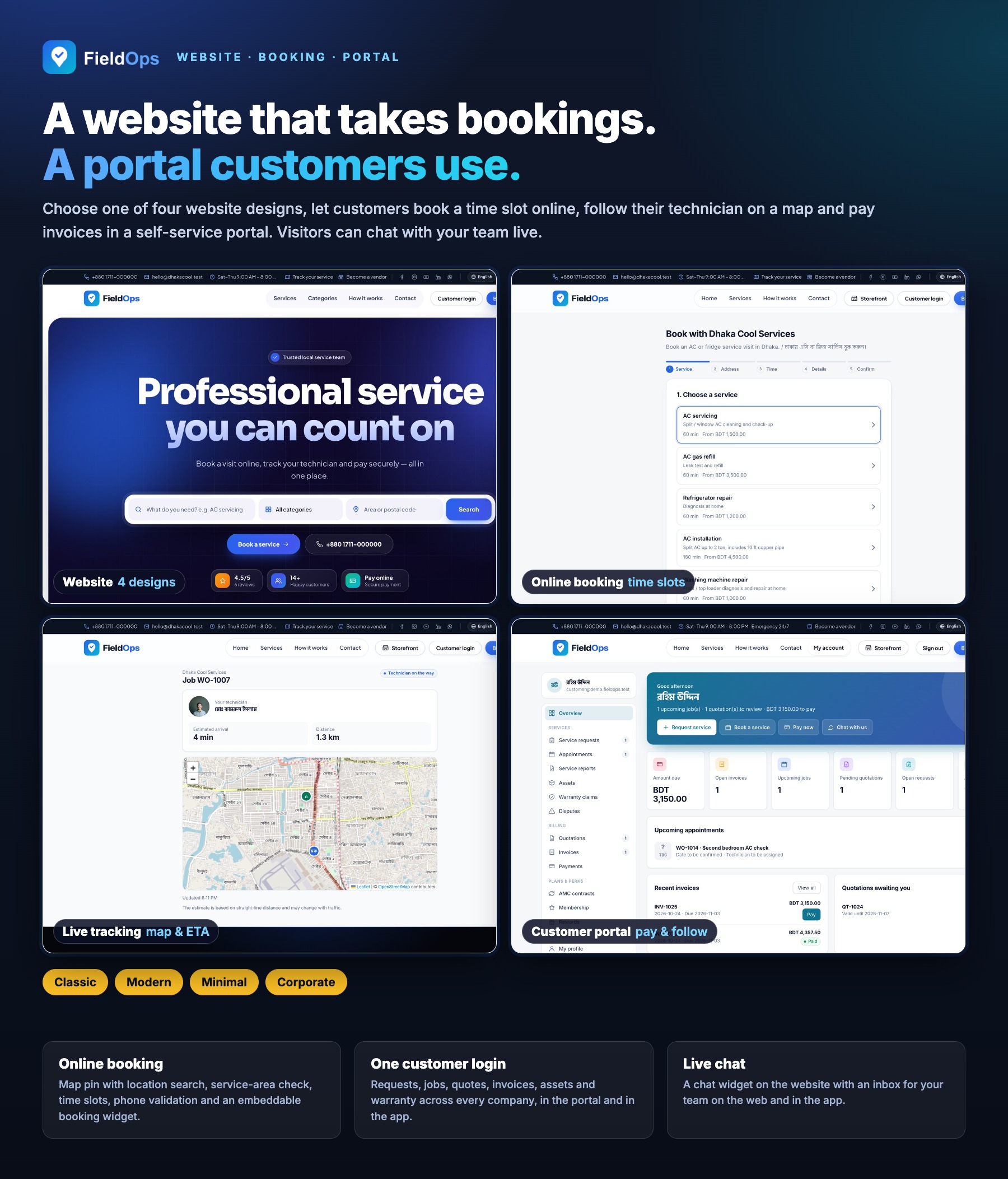
Website, Customer Portal, Booking and Live Chat
- Public website with 4 home designs, service catalogue, vendor pages, plans, reviews, FAQ and contact pages
- Online booking with time slots or a preferred time, service-area check, map pin with location search, city autocomplete, phone validation, captcha and an embeddable widget
- Live job tracking link with map and ETA, job chat, and a website live-chat widget answered from the workspace or the app
- Customer portal: one login across companies, requests, appointments, quotation approval, online invoice payment, assets, contracts, warranty claims and loyalty points; installable as a PWA
- Customer notifications by email, SMS and WhatsApp with event-based message templates and a message log; review requests, scheduled campaigns to consenting customers, loyalty and referrals
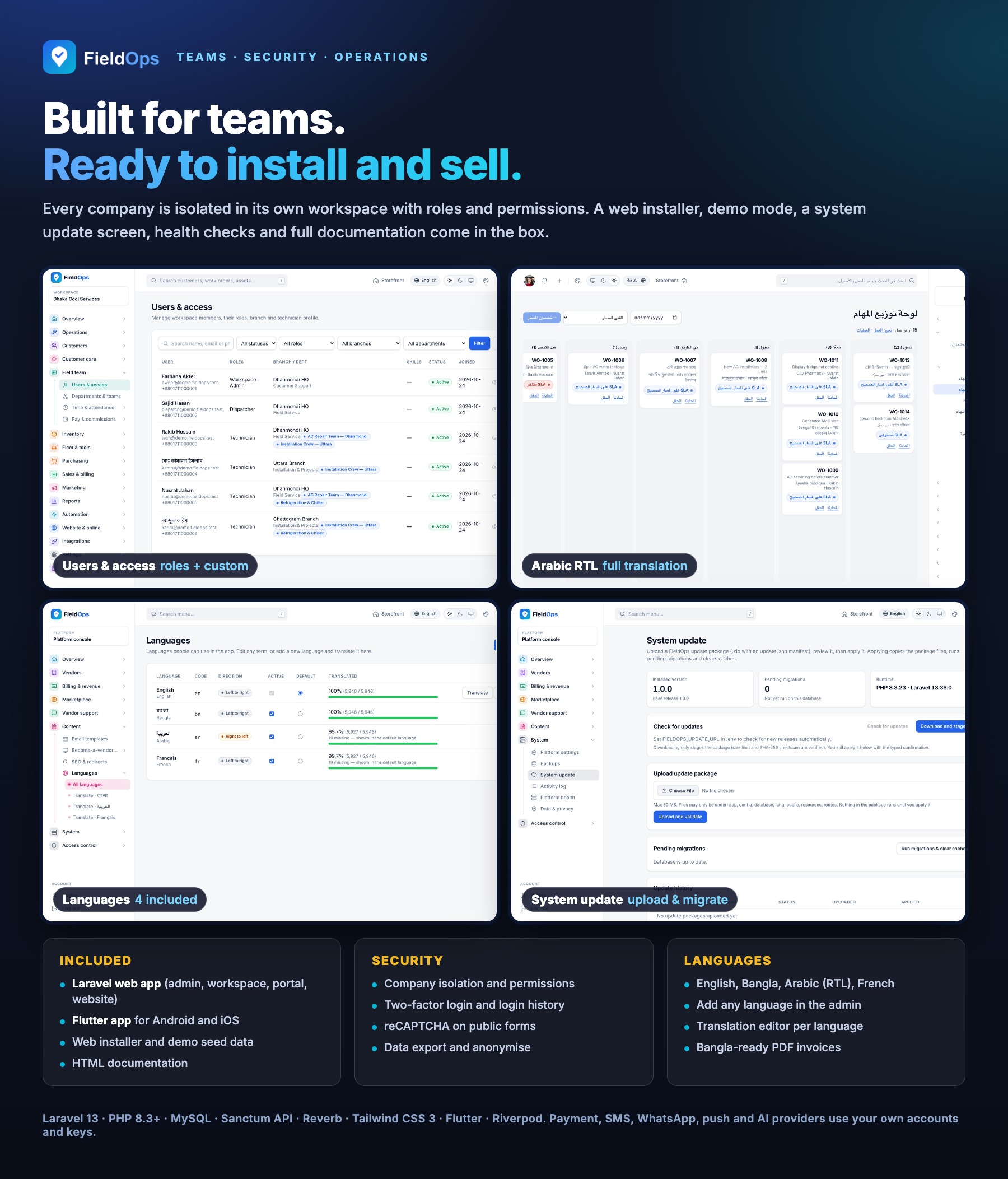
Teams, Security and Operations
- Workspace Admin role plus custom roles with granular permissions, departments, teams and branches
- Attendance, leave requests, timesheets, trips and mileage, commissions and technician earnings
- Inventory with warehouses, van stock, stock transfers, auto reorder, procurement, purchase returns and supplier ledger; fleet and tools with QR labels
- TOTP two-factor sign-in, reCAPTCHA, activity log, webhooks (13 events) and data export or anonymisation
- Web installer, demo mode, database backups, system update from a zip, platform health with scheduler heartbeat and a production check command
Technologies Used
- Laravel 13 (PHP 8.3+), Blade, jQuery, Alpine.js, Tailwind CSS 3 and Vite
- MySQL 8
- Laravel Sanctum (API tokens), Laravel Reverb (live chat), mPDF and dompdf (PDF documents)
- Leaflet with OpenStreetMap tiles (no Google Maps API key needed)
- Flutter with Dart 3.13+, Riverpod, go_router, Dio and sqflite (Android and iOS)
- Firebase Cloud Messaging HTTP v1 for push (your own project)
System Requirements
Web Platform
- PHP 8.3 or newer with pdo_mysql, mbstring, openssl, tokenizer, xml, ctype, json, fileinfo, dom, curl, gd and zip
- MySQL 8; Apache (mod_rewrite) or Nginx with the document root on
public/ - HTTPS for payments, webhooks, mobile tokens and push
- Cron for the scheduler (
schedule:runevery minute), a queue worker and, for live chat, a running Reverb server - Writable
storage,bootstrap/cacheand.env - Composer 2 (the download does not include
vendor/); Node.js 20+ only if you rebuild the front-end assets
Mobile App
- Flutter (stable) with Dart 3.13+; Android Studio for Android, Xcode on macOS for iOS
- Your own app name, package/bundle id, icons and signing keys
- A Firebase project for push notifications (optional; the app runs without it)
- Google Play Console and/or Apple Developer accounts to publish
Important Notes About Third-Party Services
Your own accounts and keys: payment gateways (SSLCommerz, Stripe, bKash, PayPal, Razorpay, Paystack, Flutterwave), your SMS provider, WhatsApp Cloud API, e-mail delivery, Firebase Cloud Messaging, Anthropic (AI), Google reCAPTCHA and an OSRM routing server are external services. You create your own accounts and supply your own API keys. These providers charge their own fees, which are not included in the item price. Hosting, domains and Apple/Google developer accounts are not included either.
How integrations were tested: payment gateways, SMS, WhatsApp, push, AI, OSRM, reCAPTCHA and the purchase code check were verified during development with simulated (faked) HTTP responses in the automated test suite. Test each integration with your own sandbox credentials before going live.
Honest notes: message drivers default to a log file until you configure them. Route optimisation uses a public OSRM demo server by default; use your own server in production. Map tiles come from OpenStreetMap under its usage policy. Accounting is a CSV export for QuickBooks or Xero, not a live sync. The app’s job chat has no realtime push. Build, sign and test the app on your own Android and iOS devices before publishing. Composer, npm and Flutter packages remain under their own licences (see the documentation for credits).
Documentation
Installation, configuration, admin and workspace guides and app build steps: View Documentation.
The same files are in the documentation folder inside the download.
Support
Support is included for the period shown on the item page (6 months by default), Sunday to Thursday, 10:00–18:00 (GMT+6), with response targets from 1 to 3 business days by priority. Please include your purchase code.
Changelog
Version 1.0.0
Initial release:
- Main company workspace with platform admin console, web installer, demo mode and zip-based system update
- Optional multi-vendor marketplace with vendor approval, verification documents, plans, coupons, commissions and dunning
- Service requests, work orders, dispatch views, live map, route optimisation and SLA escalation
- Technician field flow with checklists, photos, signatures, van stock parts and on-site payment
- Customers, assets, warranty claims, AMC contracts and memberships
- Price book, Good/Better/Best quotations, invoices, recurring invoices, credit notes and 9 payment methods
- Inventory, procurement, fleet, tools, attendance, timesheets and commissions
- Public website, online booking, live job tracking, customer portal and website live chat
- Staff invitations by email, gateway refunds and scheduled campaign delivery
- Optional AI assistance with your own Anthropic key, webhooks and CSV accounting export
- English, Bangla, Arabic (RTL) and French with a language manager
- Flutter Android/iOS app on REST API v1 for technicians, managers and customers, offline-first with FCM push


