
Login to your account!
Join the World's Largest Web App Marketplace!
Great to see you here!
Let’s set up your account in just a couple of steps.
Forgot password?
Enter your username or email to reset your account.
WaDesk | AI-Powered Omnichannel, Bulk Messaging Flutter App
By : media-city Published On Friday, November 13, 2026, 20:01 In Mobile
Hello!
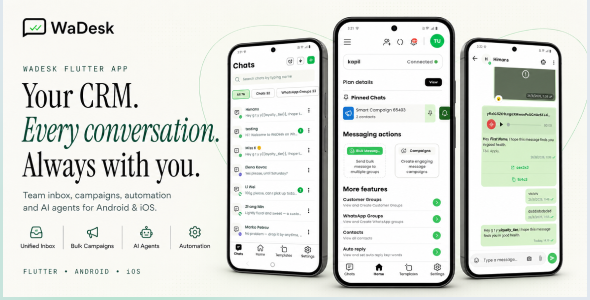
WaDesk is a modern mobile client built with Flutter + Dart for managing business conversations, campaigns, contacts, automation, and customer communication from Android and iOS devices.
The app connects with the WaDesk web platform through its REST API and provides a mobile-first workspace for handling conversations, connected devices, message templates, scheduled campaigns, automated replies, customer groups, subscriptions, payments, and more.
It is designed for marketers, agencies, freelancers, sales teams, e-commerce businesses, and SaaS operators who want to manage their communication workflow from a single mobile application.
App Demo
Username: [email protected]
Password: 12345678
Required Web Version
This mobile application works as a client for the WaDesk web platform and cannot operate independently. The web version must be purchased and installed separately before using the mobile application.
The mobile app communicates with the web platform through the provided REST API.
Required Web Version: WaDesk SaaS Web Version
Important — Third-Party Services & Additional Costs
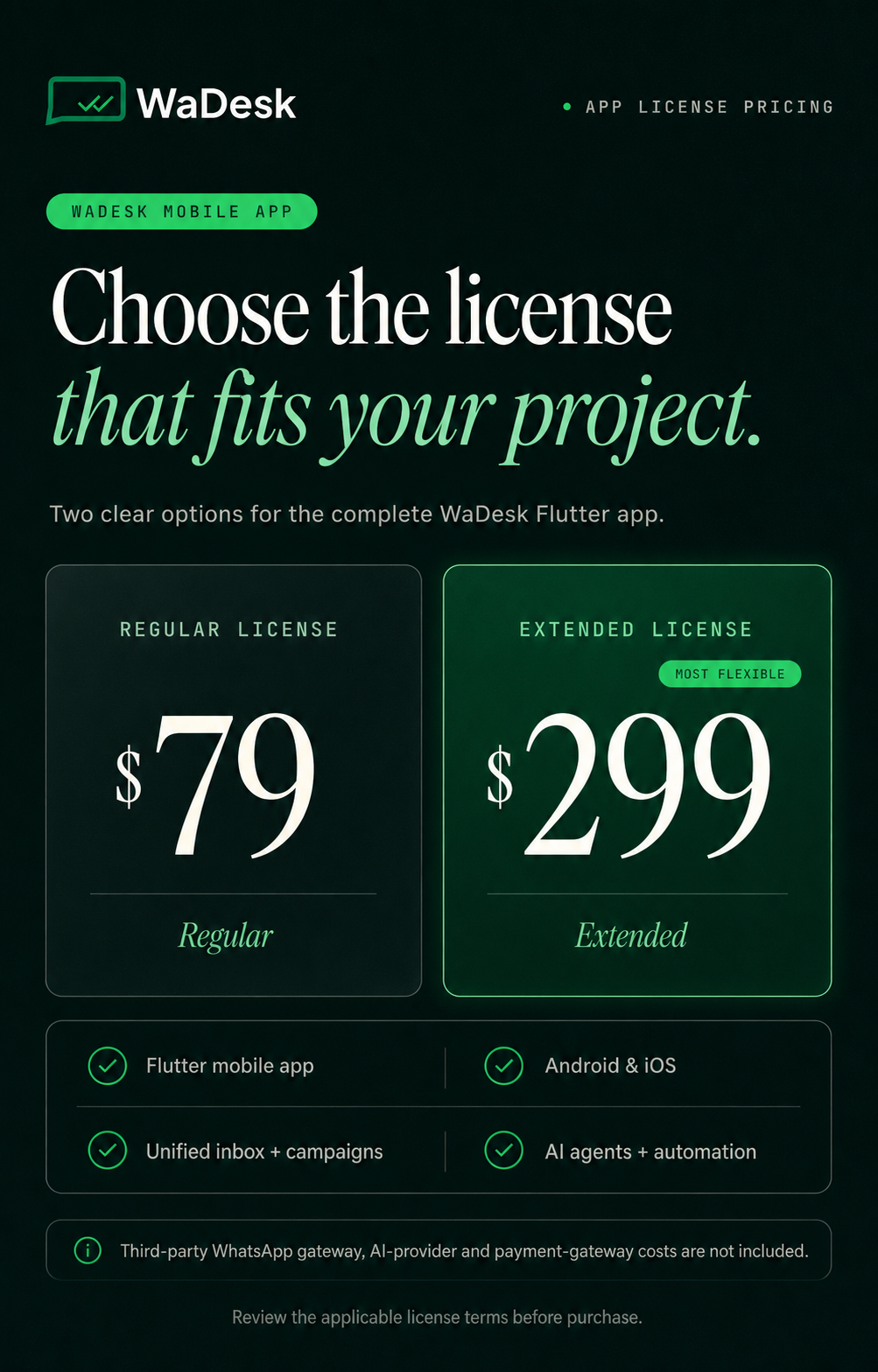
Some functionality depends on external services such as Meta WhatsApp Business API (WABA), Twilio, compatible messaging providers, AI providers, and payment gateways.
Supported external services may include OpenAI, Anthropic, Gemini, Stripe, Razorpay, PayPal, Paystack, and Flutterwave. These services require separate accounts and may involve additional charges.
This item does not include third-party API keys, credits, subscriptions, phone numbers, or service fees. All external service costs are the responsibility of the buyer.
Who Is WaDesk For?
- Marketers & Growth Teams: Create campaigns, organize audiences, use reusable templates, and manage communication from a mobile device.
- Agencies & Freelancers: Work with multiple client workspaces, connected devices, campaigns, subscriptions, and billing information.
- E-commerce & D2C Brands: Handle customer conversations, order-related updates, promotions, and personalized messages.
- Sales Teams: Keep frequently used messages and customer conversations accessible for faster follow-up.
- SaaS Businesses & Founders: Provide customers with a mobile communication client connected to the WaDesk web platform, including plans, billing, credits, and CMS functionality.
Key Features
Workspaces
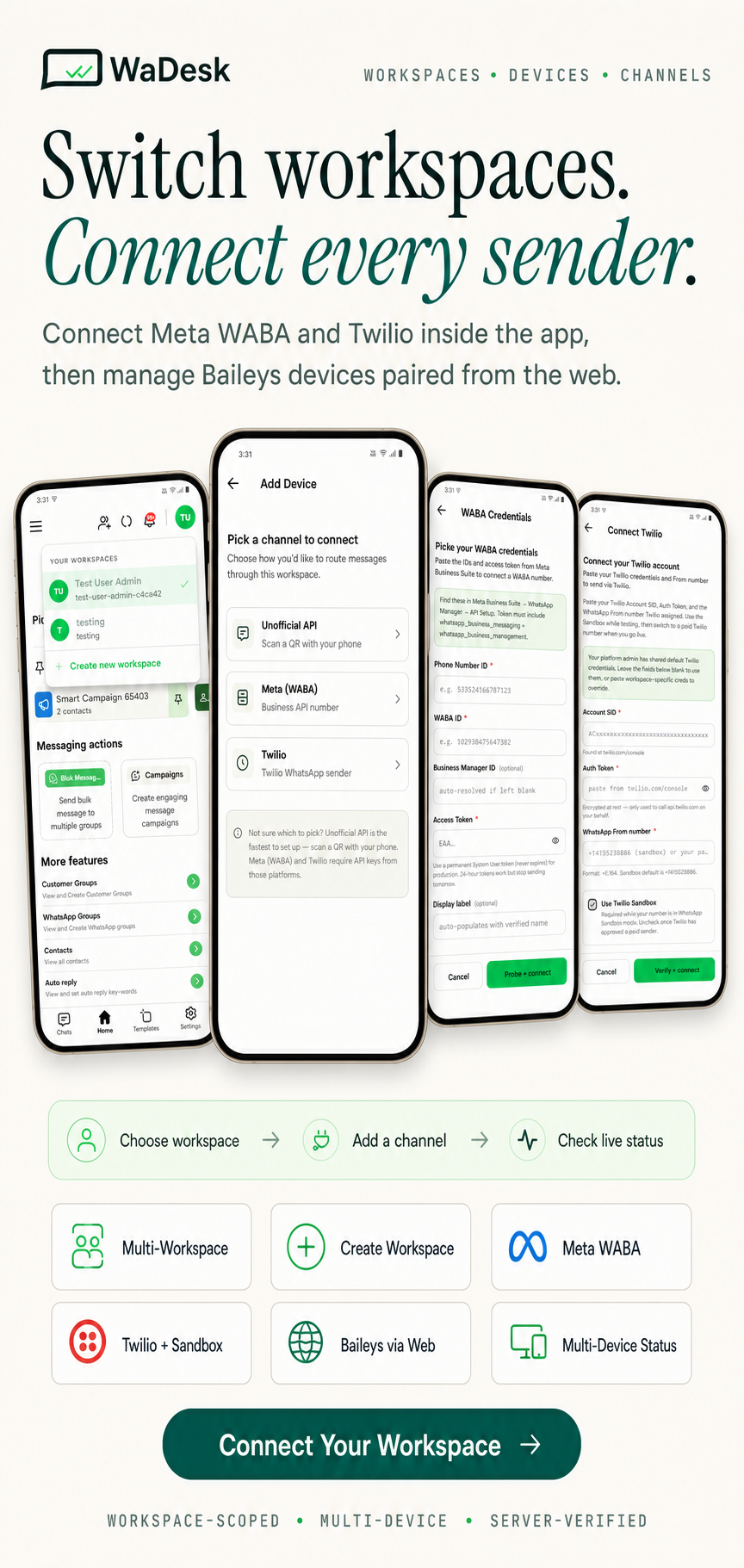
- Multi-workspace: Belong to multiple workspaces and switch between them from the app.
- Create Workspace: Configure workspace name, industry, team size, and timezone.
- Workspace Scoping: API requests are scoped to the selected workspace using the
X-Workspace-Idheader. - Workspace Contacts: Add, edit, delete, search, and manage contacts belonging to the active workspace.
Connected Devices & Channels
- Multiple Connection Methods: Connect through Meta WhatsApp Business API, Twilio, or the unofficial Baileys connection method.
- QR Pairing: Baileys devices are paired from the WaDesk web dashboard and then become available in the mobile app.
- Device List: View connected devices, numbers, names, and current connection status.
- Multi-device Support: Manage more than one connected device and switch between them.
- Live Status: Check the connection state before sending messages.
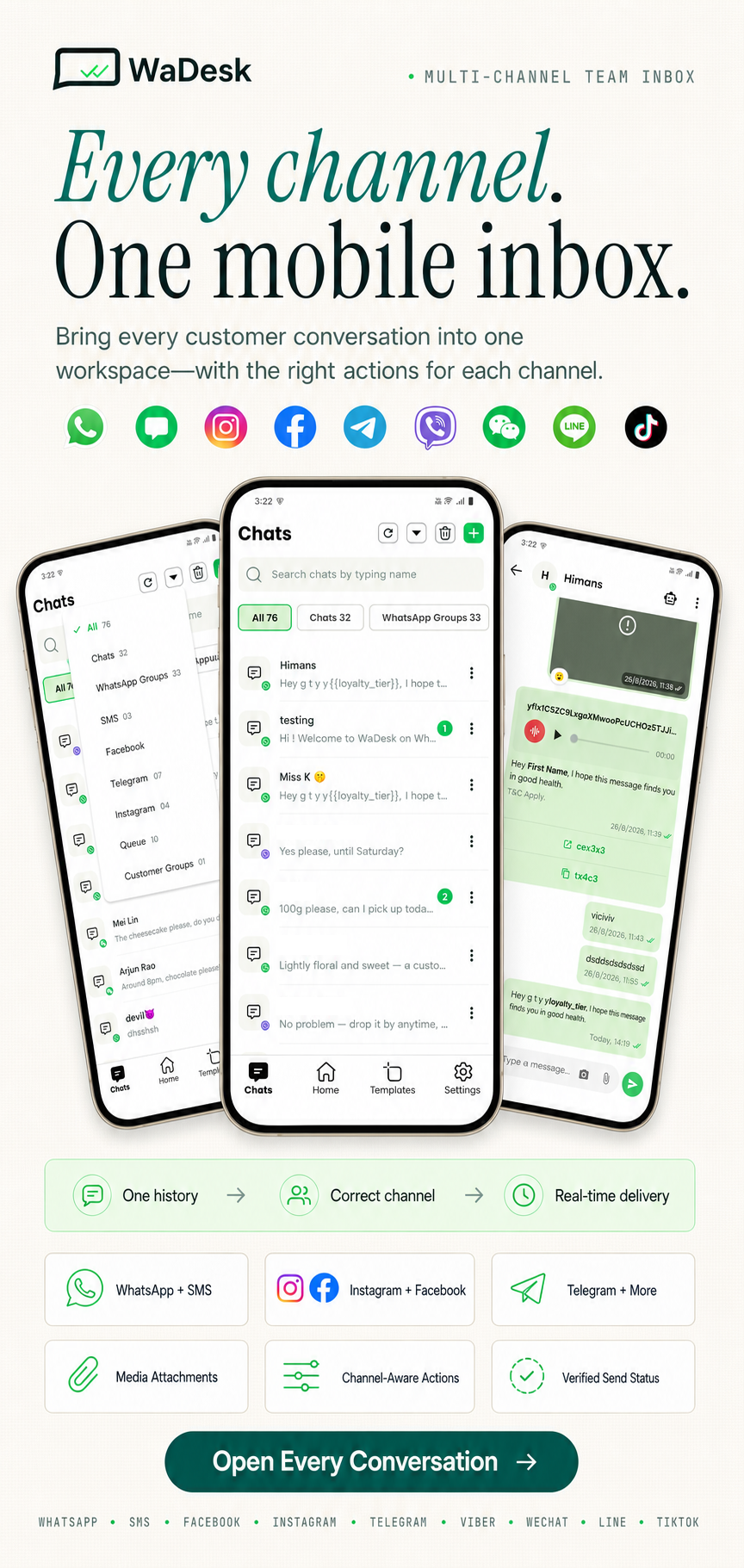
- Multi-channel Inbox: Conversations can be associated with WhatsApp, SMS, Facebook, Instagram, Telegram, Viber, WeChat, LINE, and TikTok.
- Channel-aware Actions: Available composer features and message actions automatically adapt to the capabilities of the selected channel.
- Read Status: Read indicators are displayed only for channels and connection methods that provide reliable read-state information.
- Server-Verified Sends: Failed messages display the reason returned by the server instead of showing an incorrect sent state.
- Pinned Queues: Keep frequently used broadcast queues accessible from the home screen.
Team Inbox & Real-Time Chat
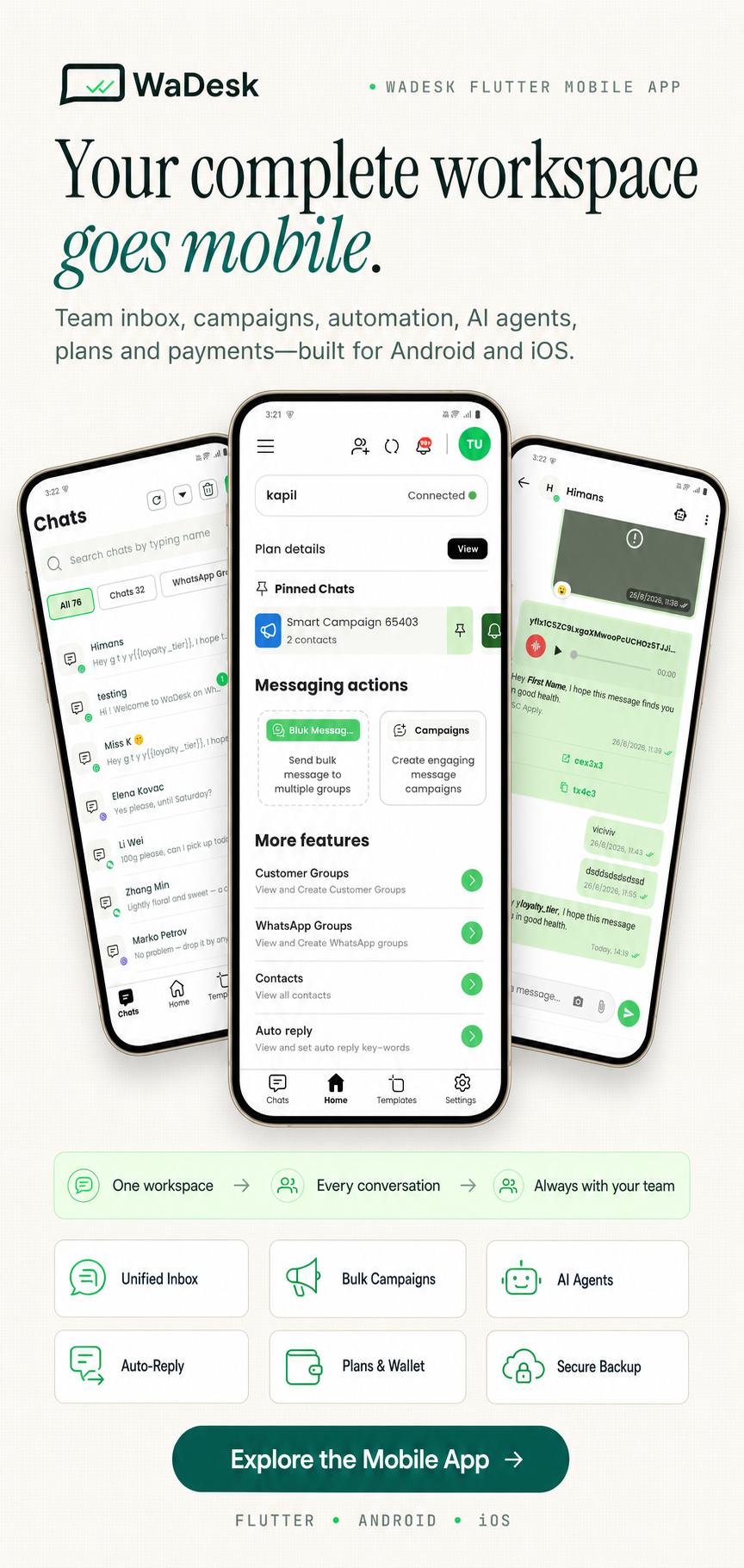
- Unified Inbox: Access conversations, groups, broadcast queues, and customer groups from one interface.
- Real-Time Delivery: Receive incoming messages through Pusher / Reverb WebSockets with an automatic polling fallback.
- Quick Send: Start a one-to-one conversation using a country-code selector.
- Chat Details: View conversation history and respond directly from the thread.
- Media Attachments: Send images, videos, audio files, PDFs, and documents.
- Message Actions: Reply, forward, pin, star, delete, view information, and use reactions where supported by the active channel.
- Agent Indicators: Conversations handled by an automated agent display its name, status indicator, and optional quality rating.
- Forward Messages: Forward messages to supported chats, groups, queues, and customer groups.
- Emoji Picker: Use emojis directly inside the message composer.
- Archive: Archive and restore conversations from the dedicated archive screen.
AI Agents
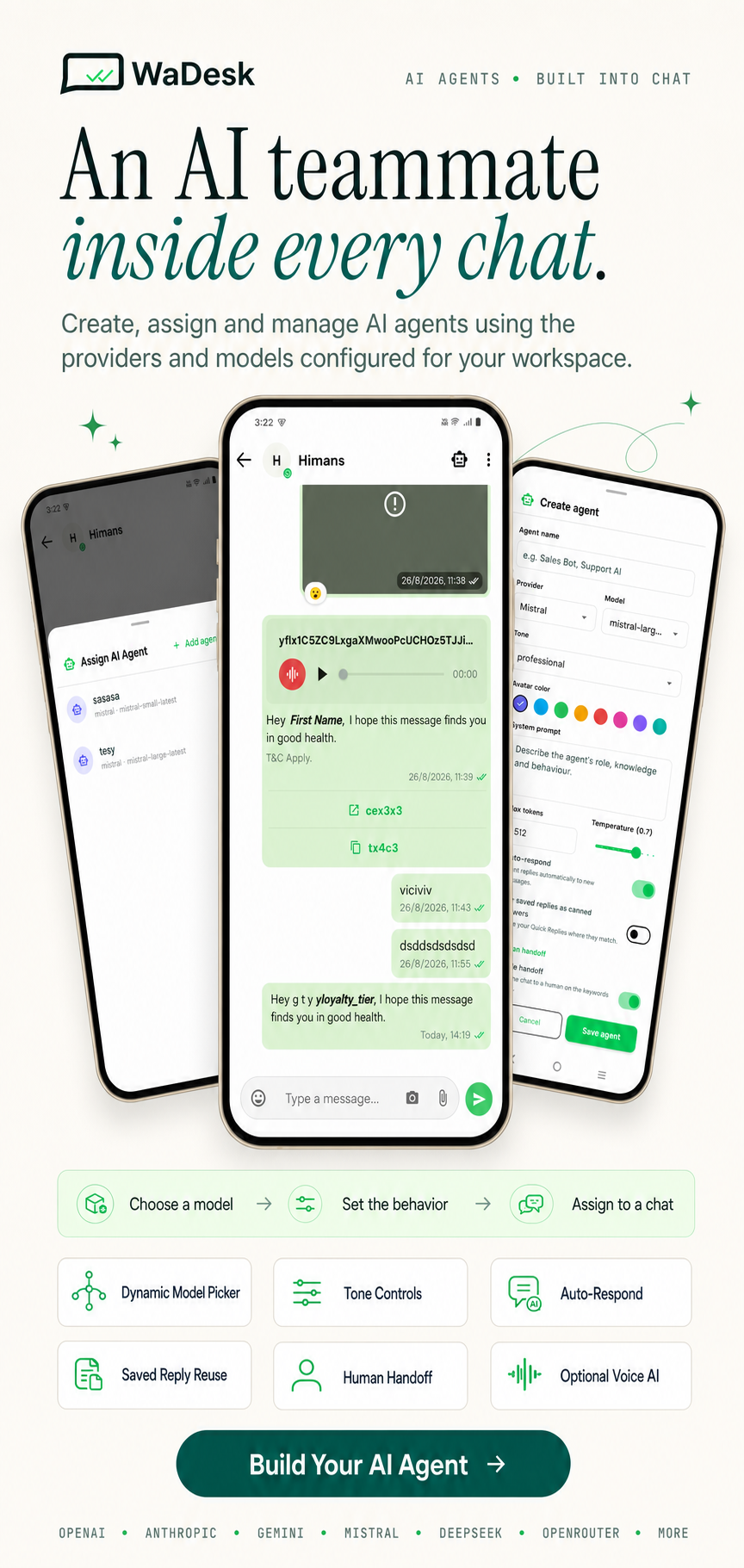
- Automated Replies: Create agents that can draft and send responses within the team inbox.
- Multiple Providers: Support for OpenAI, Anthropic, Gemini, Mistral, DeepSeek, xAI, Perplexity, Groq, Qwen, Cohere, OpenRouter, and additional providers configured by the backend.
- Dynamic Model Selection: Available providers and models are loaded from the backend rather than being hardcoded in the application.
- Chat-based Setup: Create an agent from a conversation and configure its name, provider, model, tone, system prompt, token limit, temperature, and automatic response settings.
- Human Handoff: Configure keywords, maximum automated replies, and quality thresholds for transferring conversations back to a human.
- Voice Options: Optional voice notes and calling functionality can be configured when supported by the selected provider.
- Assign & Detach: Attach an agent to a conversation or remove it whenever manual handling is required.
- Agent Management: Create, update, view, and delete workspace agents from the dedicated management screen.
Templates & Attributes
- Template Library: Create, edit, organize, and delete reusable message templates.
- Categories: Organize templates for faster access.
- Dynamic Attributes: Insert recipient-specific and custom attributes into message content.
- Template Types: Plain text, text with media, media templates, and text with location.
- Action Buttons: Add URL, phone-call, copy-code, and quick-reply actions where supported.
- Interactive Content: Support for carousel, poll, and list-based interactive payloads.
- Bulk Delete: Select multiple templates and remove them together.
Campaigns & Queues
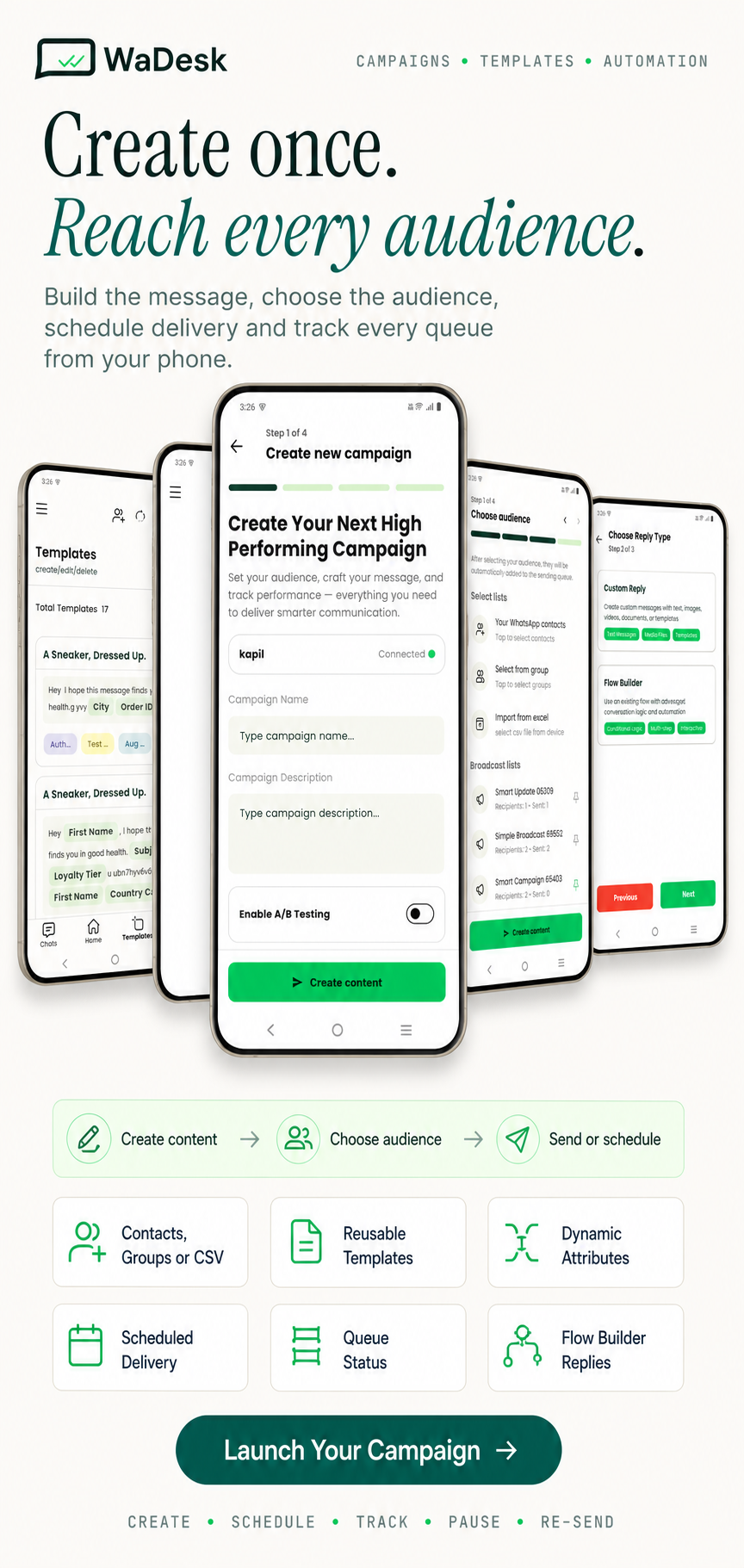
- Campaign Creation: Select a template, audience, and schedule from one workflow.
- Audience Selection: Choose contacts, contact groups, or import recipients from CSV.
- Campaign Details: Monitor campaign progress and message counts.
- Pause or Stop: Stop an active campaign when required.
- Bulk Management: Delete or update multiple campaigns at once.
- Queue Management: View, rename, archive, pin, or delete broadcast queues.
- Queue Details: Monitor individual message and recipient status.
- Re-send: Add new recipients or messages to an existing queue.
- Live Status: View recipient and message progress from the backend status endpoint.
Scheduled Messages
- Schedule Individual Messages: Select a future date and time for a message.
- Schedule Campaigns: Set future delivery times for campaigns.
- Timezone Aware: Scheduling follows the device timezone.
Auto-Reply & Flow Builder
- Rule Management: Search and filter existing automatic response rules.
- Trigger-based Responses: Configure keyword-based replies using text, media, or flow-based responses.
- Flow Builder: Use backend-defined flows for multi-step automated conversations and campaign workflows.
- Bulk Delete: Remove multiple rules in one action.
Contacts & Groups
- Contact Management: Browse and search synchronized contacts.
- CSV Import & Export: Import contact data and export it for offline review.
- Contact Groups: Create, edit, and delete groups for audience organization.
- Bulk Group Delete: Remove multiple groups at once.
- Group Audiences: Select an entire contact group when creating a campaign.
WhatsApp Groups
- Group Manager: Create, view, and leave groups from supported Baileys-connected devices.
- Group Information: Edit group subject and description and view participants.
- Invite Links: Retrieve and share group invitation links.
- Group Chat: Send and receive group messages with archive and read-state support.
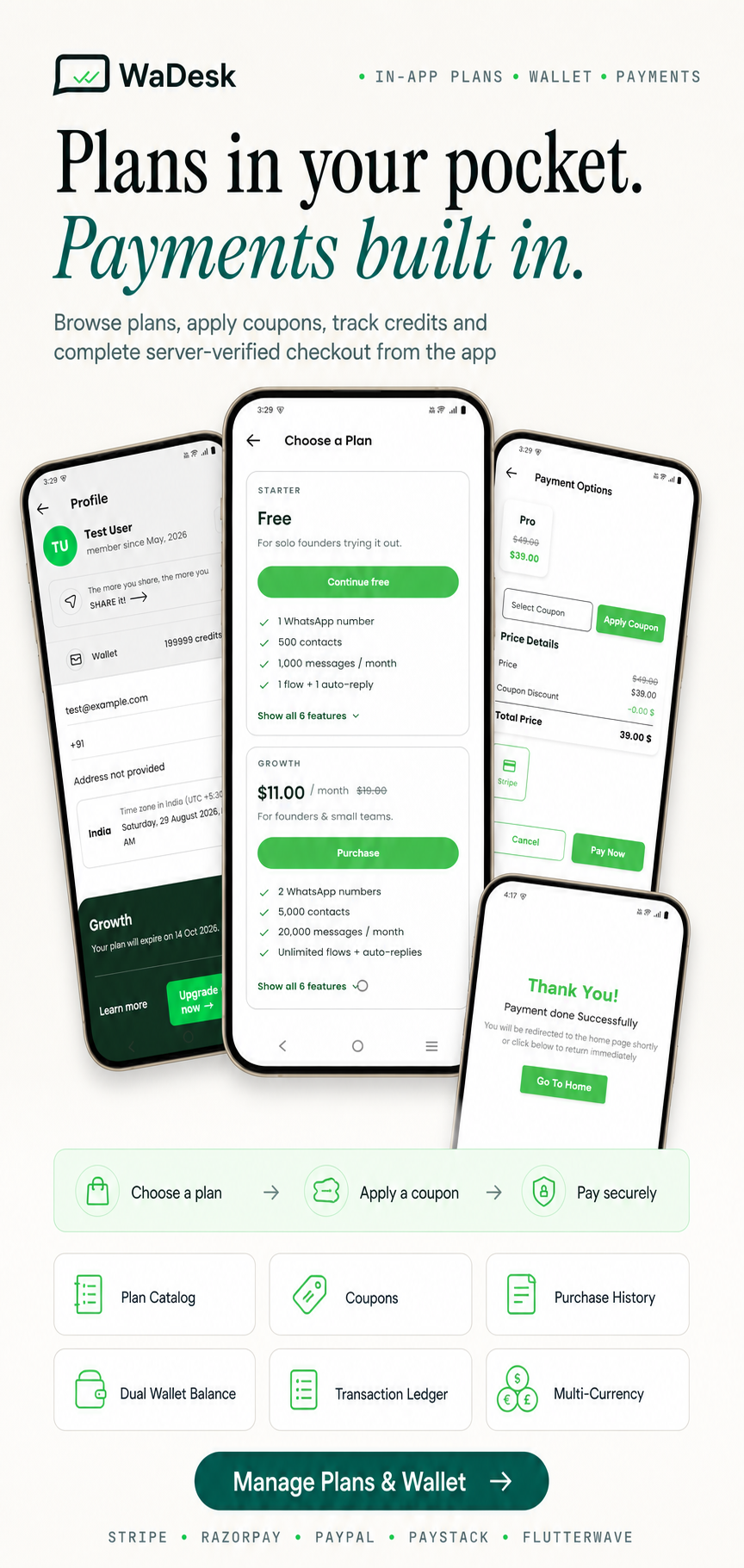
Plans & Subscriptions
- Active Plan Check: The application verifies the user’s subscription after login and when the app starts.
- Plan Catalog: Display available plans with pricing, currency, and included features.
- Featured Plan: Show a highlighted plan on the home screen with direct access to its details.
- Plan Limits: Display message, contact, group, broadcast, and template limits.
- Coupons: Apply available discount codes during checkout.
- Purchase History: Review previous transactions and download invoices.
- Credits: Monitor remaining credits and usage against the active plan.
Wallet & Credits
- Dual Balance: Maintain message-credit and currency balances in the wallet.
- Top-Up: Add funds through supported payment gateways.
- Transaction Ledger: Review wallet credit and debit activity separately from plan purchases.
Payment Gateways
- Stripe: Card payments using PaymentSheet.
- Razorpay: Native checkout integration.
- PayPal: Integrated PayPal payment flow.
- Paystack: Embedded checkout.
- Flutterwave: Embedded checkout.
- Multi-currency: Pricing and currency information are supplied by the backend.
- Server Verification: Orders are verified by the server before a plan is activated.
- Runtime Configuration: Payment credentials are retrieved through the backend configuration endpoint rather than hardcoded into the application.
Authentication & Security
- Email & Password: Secure registration and login with password validation.
- Google Sign-In: Login using Google authentication.
- Facebook Sign-In: Login using Facebook authentication.
- Password Recovery: OTP-based password reset flow.
- Change Password: Update the account password from security settings.
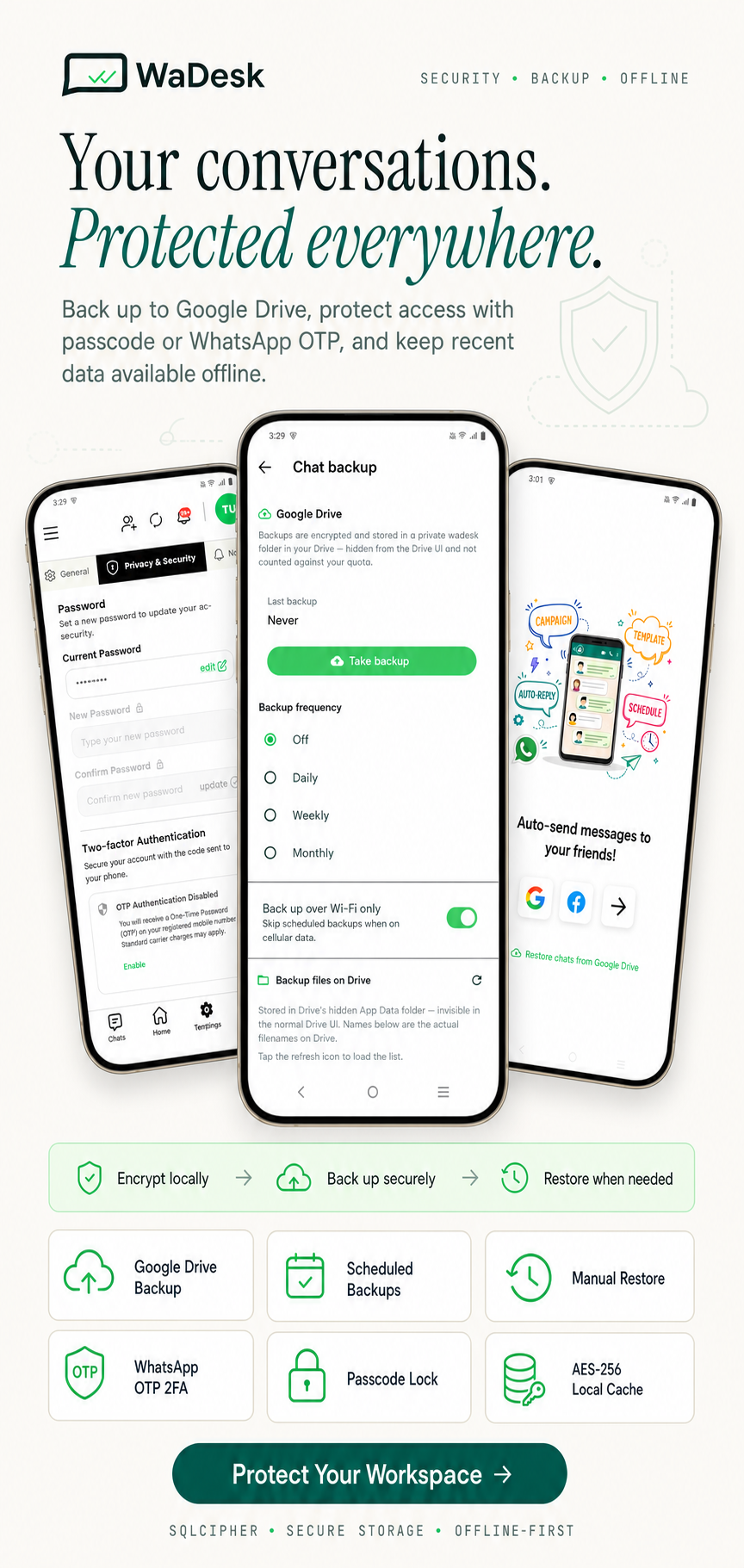
- Two-Factor Authentication: Optional OTP-based second-factor authentication using the configured messaging channel.
- Passcode Lock: Protect the application with an additional in-app passcode.
- Secure Session Storage: Authentication data is stored using platform-secure storage through Android Keystore / iOS Keychain.
Notifications & Affiliate
- Push Notifications: Receive incoming conversation alerts even when the application is closed.
- Rich Notifications: Display sender information and message previews.
- Notification Center: Review and manage application notifications from one location.
- Notification Actions: Mark individual notifications as read or clear notifications in bulk.
- Affiliate Code: Users can access and share their referral code to invite new sign-ups.
Backup & Restore
- Google Drive Backup: Store conversation backups in an app-scoped private Drive folder.
- Scheduled Backups: Choose daily, weekly, monthly, or disabled scheduling, with an optional Wi-Fi-only setting.
- Manual Backup: Back up all chats or select a specific date range.
- Restore: Restore available backups when moving to another device or recovering previous data.
- Compressed & Encrypted: Backups are generated from the encrypted local database and compressed before storage.
Offline & Performance
- Encrypted Local Cache: Frequently used conversations, contacts, templates, queues, and related data are stored locally using SQLCipher.
- Fast Screen Loading: Cached information is displayed first while fresh server data is retrieved.
- Offline Access: Recently synchronized information remains available without an active connection.
- Skeleton Loaders: Smooth loading placeholders improve the experience while data is being refreshed.
Built-in CMS
- Blog: Browse posts supplied by the web platform.
- FAQ: Search frequently asked questions.
- Dynamic Pages: Load Terms, Privacy, About, and other pages directly from the backend.
- Rich HTML: Mobile-friendly rendering for long-form CMS content.
Profile & Settings
- User Profile: Manage name, avatar, country, and contact information.
- Account Sections: General, Privacy & Security, Notifications, and Billing History.
- Security Controls: Manage password, passcode, two-factor authentication, and related account settings.
- Theme Modes: Light, dark, and system themes.
- Languages: English, Chinese (Mandarin), Hindi, Spanish, French, Arabic, and Portuguese.
App Experience
- Onboarding: Clean splash screen and first-run experience.
- Edge-to-Edge Interface: Modern full-screen mobile layout.
- Navigation: Side drawer and four-tab bottom navigation for quick access to Chats, Home, Templates, and Settings.
- Location Sharing: Optional location sharing for supported message templates.
- File Sharing: Share content and open supported files using the device’s native applications.
- Legal Pages: Privacy policy and terms pages can be loaded from the CMS.
- Flutter: One source codebase for Android and iOS.
What’s Included
- Full Flutter source code (Dart) for Android and iOS
- Clean, well-structured project following clean architecture
- Placeholder configuration files for Firebase, Facebook Login, and Google Sign-In
- Step-by-step documentation covering installation, configuration, build, release, troubleshooting, and FAQ
Detailed setup instructions are included for REST API configuration, Firebase, social login credentials, and payment gateway setup.
This application is a mobile client for the WaDesk web platform. Server installation, database configuration, environment setup, and backend documentation are provided with the web version.
Note
Images, icons, logos, and other media used in the preview are not included with this item. Please contact the author if you require permission to use any preview assets in commercial or non-commercial projects. Refer to the help documentation after purchase for additional information.


