Login to your account!
Join the World's Largest Web App Marketplace!
Great to see you here!
Let’s set up your account in just a couple of steps.
Forgot password?
Enter your username or email to reset your account.
Redit Email Extractor
By : bhansalisoft Published On Sunday, September 20, 2026, 23:15 In Apps
we just launch our cloud based tool DataScrapify for Reddit email scraper check our tool
Reddit Email Scraper
What is Reddit Email Extractor?
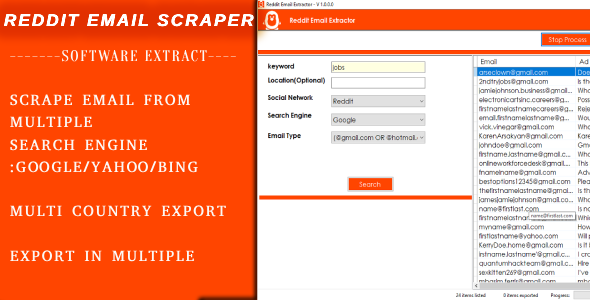
Reddit Email Extractor – Software can Extract Email from Reddit Profile using below feature- Software Search Reddit Email from Multiple Search Engine : Google, Yahoo, Bing
- Software Search Reddit Email with User Defined Keyword
- Software Search Reddit Email From All country Search Engine.
Project Requirement
- .Net Requirement
- Chrome Browser
Installation Process
- You will Recieve only Software. Code is not Included
- After Purchase Product , your Purchase code is your Licence code.
if have any issue email us at : [email protected]
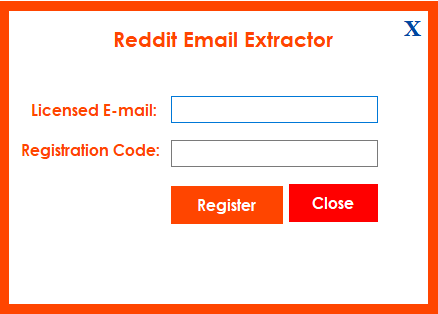
you can check what is Purchase Code from this link : https://help.market.envato.com/hc/en-us/articles/202822600-Where-Is-My-Purchase-Code- - After i Confirm your purchase Code , Please Unzip Main File and Run RedittExtractor.exe and Register your Licence as per below Screen.
- Licence Email : Registered Email.
- Registration Code : Evanto Purchase Code.
- After Registration you can Use Software.
Getting Started
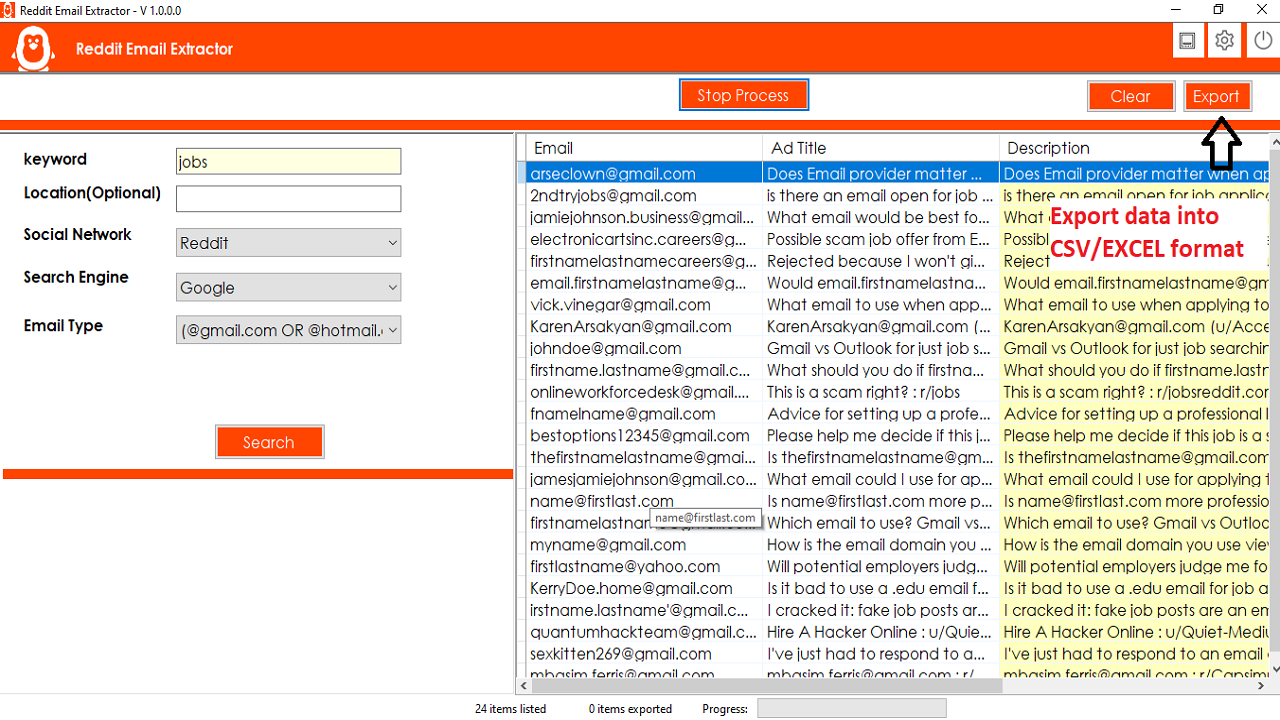
After Registration Licence , Start Software, software start with below screen
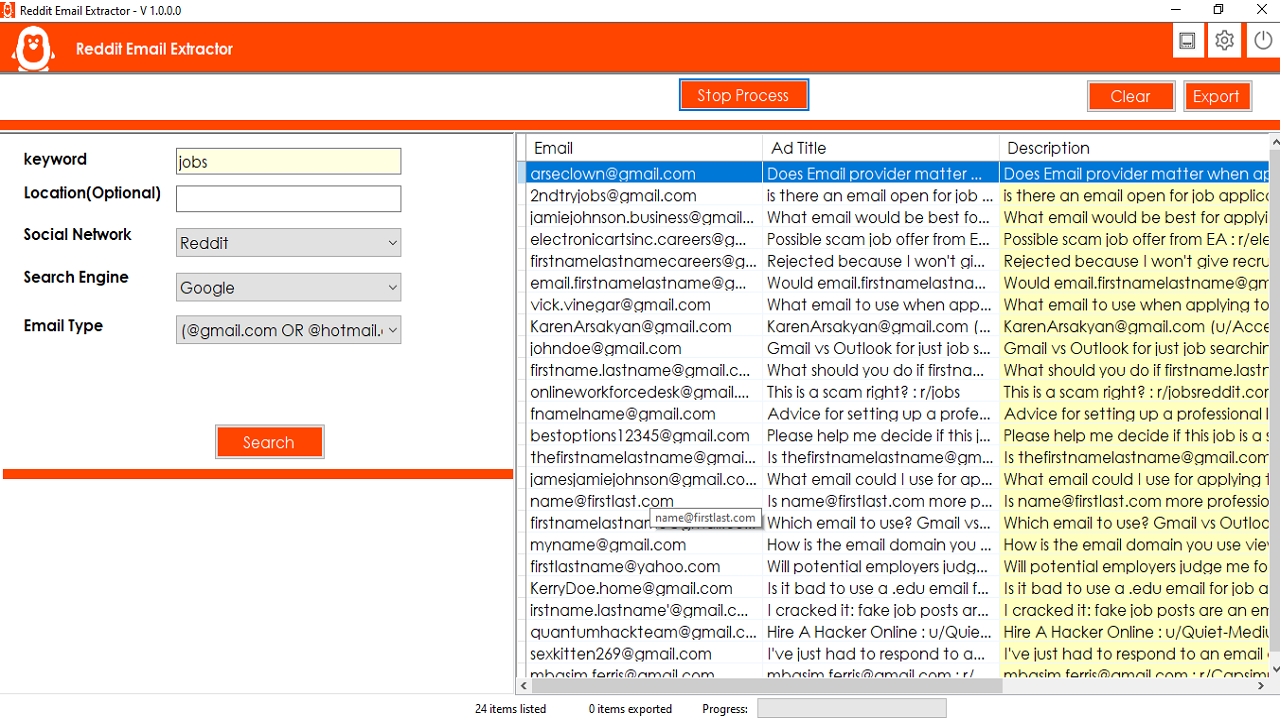
- Now you can Search Using below parameter.
- Keyword : Any Keyword like Jobs,Sales.
- Location : this option is optional but you can write any location .
- Search Engin : You can Scrap Redit Email from mutlipe Search Engine: Google , Yahoo, Bing .
- Country : Select Country of Email you want to Scrap Email
- Click on Search Button, All Detail with Email(Gmail, HotMail, Yohoo Mail), Title , Description, Redit Profile Link is fetched and show in Table .
- You can Export All Details in Multiple Format : Excel, CSV , And Text Format.
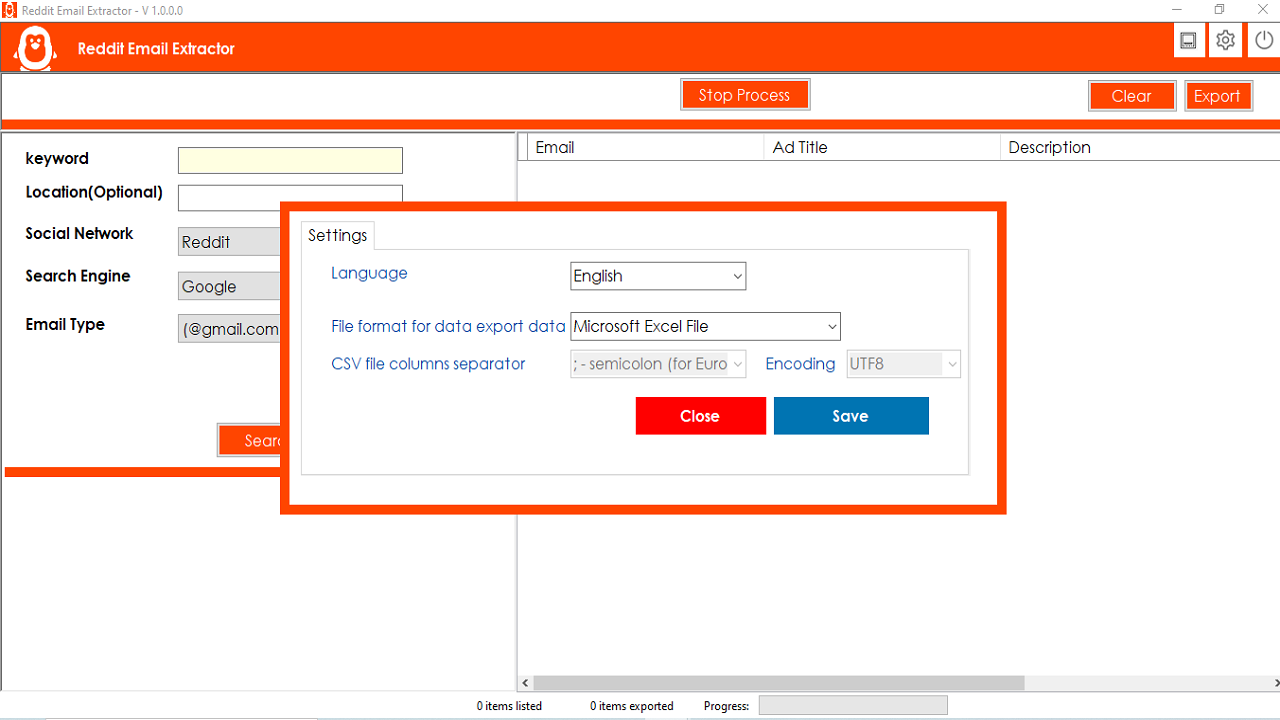
- Click on Setting Icon on Top Bar ,
 , You can do VPN Setup here.
Also can Change Data Export Format , Excel, CSV,Text Format.
Software Support Multiple Language , Can Change Desired Language.
, You can do VPN Setup here.
Also can Change Data Export Format , Excel, CSV,Text Format.
Software Support Multiple Language , Can Change Desired Language.