
Login to your account!
Join the World's Largest Web App Marketplace!
Great to see you here!
Let’s set up your account in just a couple of steps.
Forgot password?
Enter your username or email to reset your account.
POS Pro - Point of Sale plugin for Botble E-commerce
By : botble Published On Monday, November 02, 2026, 20:34 In PHP Scripts

POS Pro – Point of Sale plugin for Botble E-commerce
POS Pro is a comprehensive Point of Sale system designed for e-commerce stores built with Botble CMS. It provides a user-friendly interface for managing in-store sales, processing orders, and handling customer transactions efficiently.
Note: Price will be increased after 70 sales (08 more sales left), hurry up!!!
Latest Version 1.2.17. Released Jun 01, 2026 Click HERE to view the Changelog
- Fixed a checkout error (“parsererror”) that could prevent an order from completing and the receipt from printing in the POS — orders now finalize reliably regardless of mail server speed
Please check our upgrade guide on https://docs.botble.com/pos-pro/upgrade.html

POS Pro is built with Laravel framework, jQuery and Bootstrap CSS. It’s a modern and powerful point of sale system that allows you to manage products, process orders, and handle customer transactions in a seamless way.
POS Pro is a perfect solution for businesses, retailers, and store owners who want to integrate their online store with a physical point of sale system. It’s easy to install and use, and it comes with a powerful admin panel that allows you to manage products, orders, and settings.
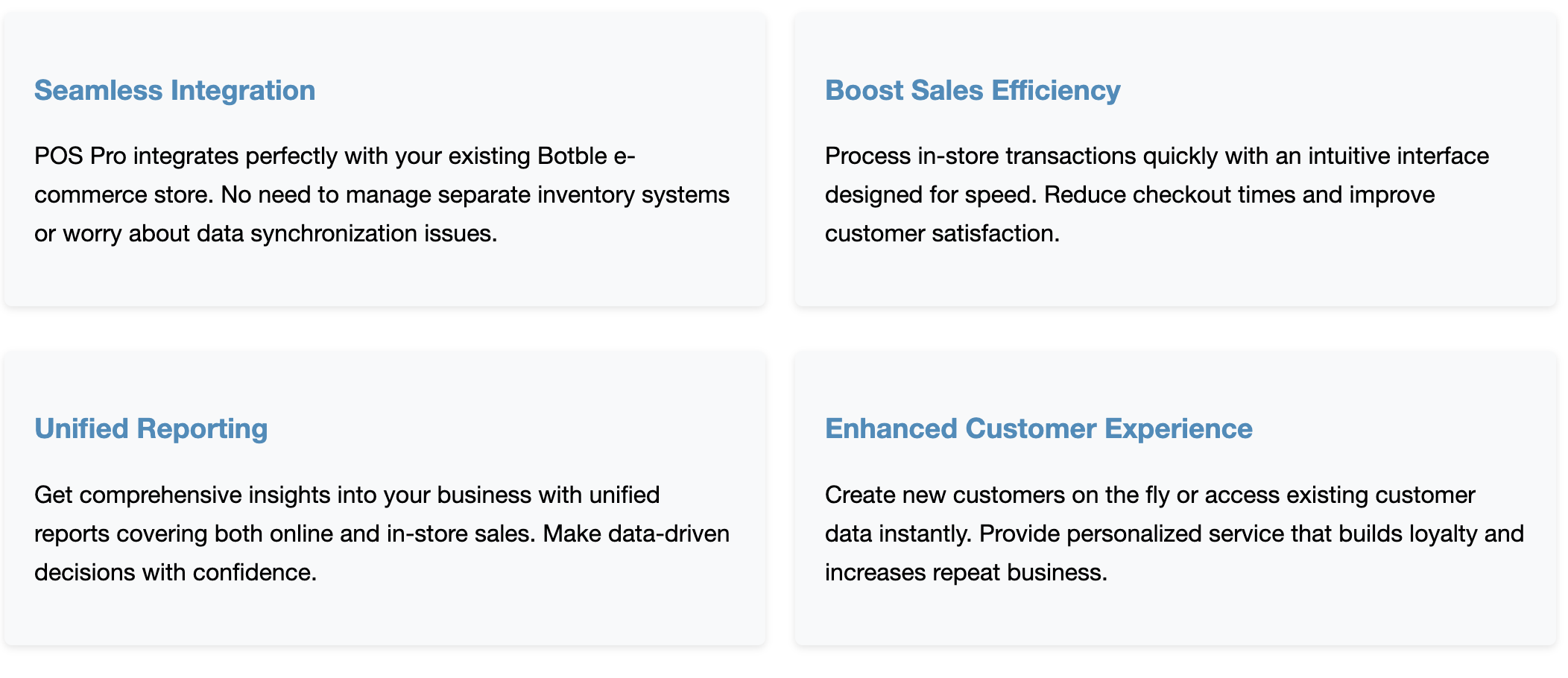
POS Pro integrates seamlessly with your existing e-commerce store, allowing you to manage inventory, process orders, and track sales across both online and offline channels.
We have a dedicated support center for all of your support needs. It includes our Documentation and Ticket system for any questions you have. We usually get back to you within 12–24 hours.

|

|

|
Highlighted Features (Last Updated: May 2025):
- Buy One Time & Get Free Updates Forever
- Free Installation – If you will face any problem during installation – we will help you and It’s FREE
- Easy Installation – Install POS Pro easily with no coding or server knowledge in a few minutes with our easy-to-use installer and documentation.
- High Performance – POS Pro is lightweight and has lighting fast performance and page load time out of the box.
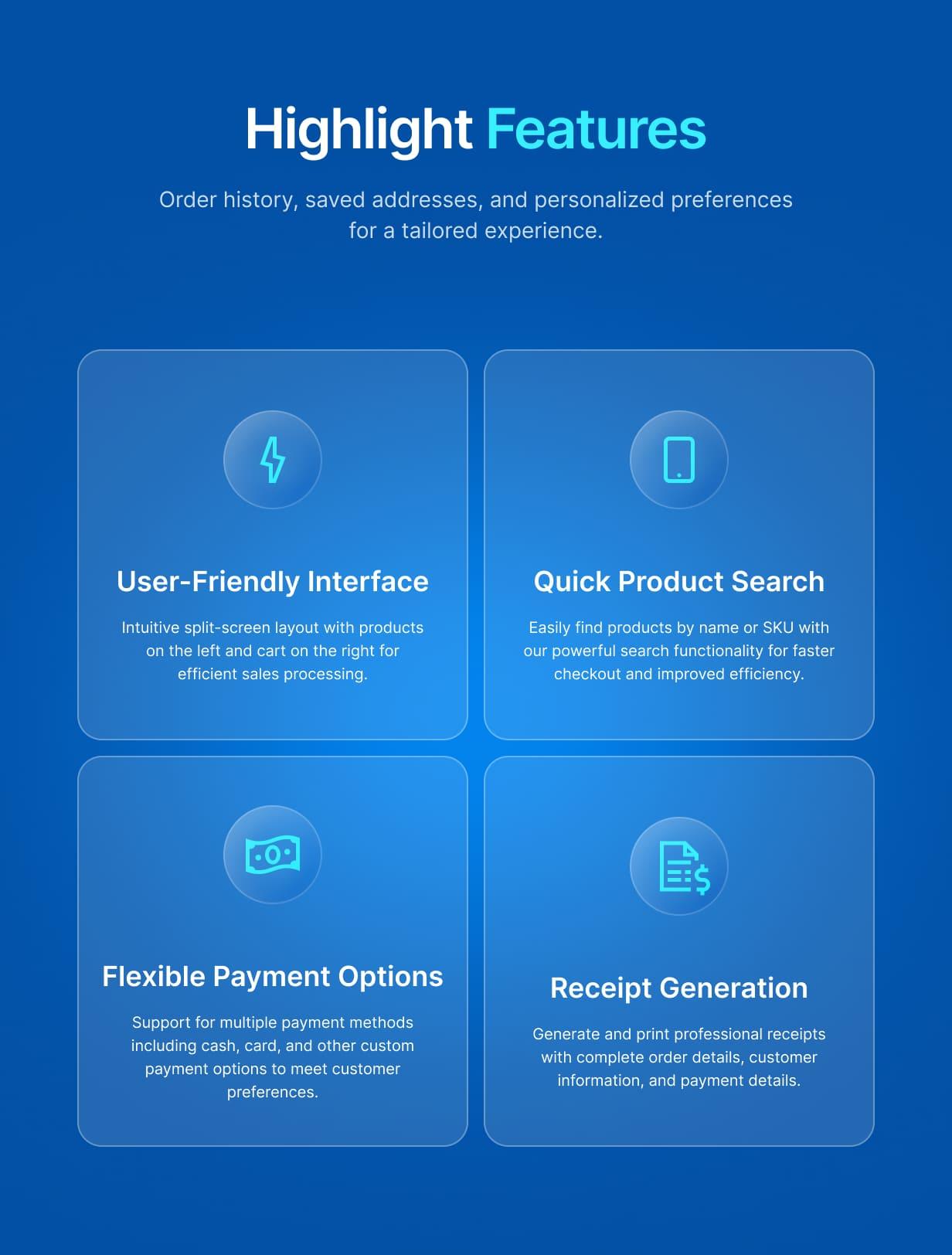
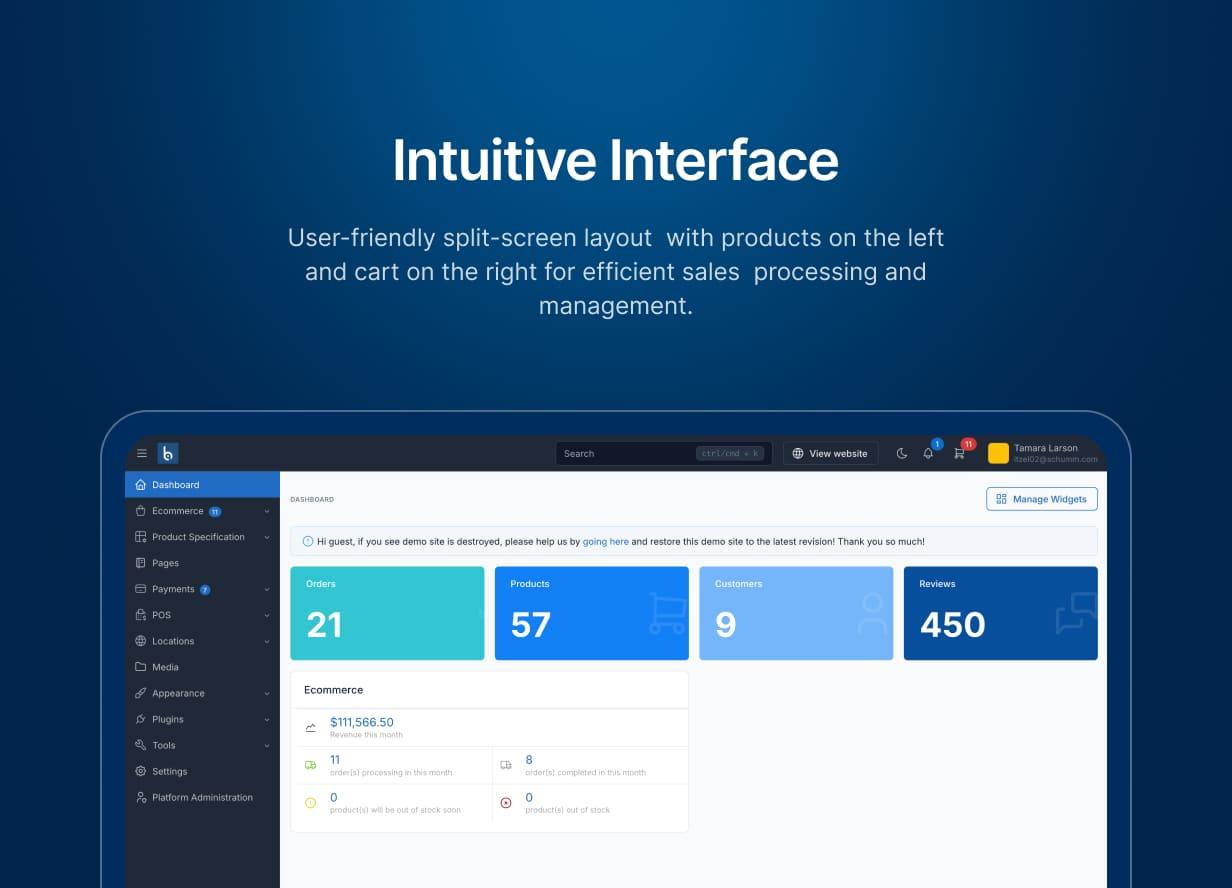
- User-Friendly Interface – Split-screen layout with products on the left and cart on the right for intuitive operation.
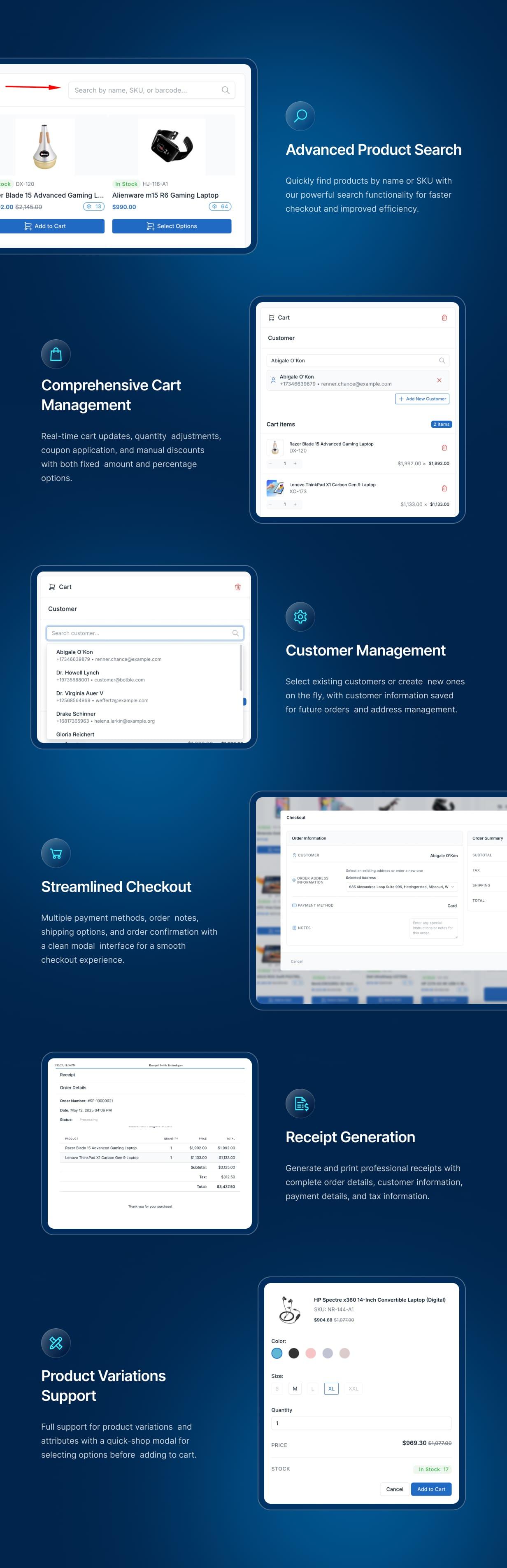
- Quick Product Search – Find products instantly by name, SKU, or barcode.
- Responsive Design – Works perfectly on various screen sizes from desktop to tablet.
- Dark Mode Support – Reduces eye strain in low-light environments.
- Full Screen Mode – Distraction-free operation for busy retail environments.
- Product Management – Display products with images, prices, and stock information.
- Support for Product Variations – Handle products with multiple attributes like size, color, etc.
- Quick-Shop Modal – Easily select product options before adding to cart.
- Real-time Cart Updates – See changes instantly as you add or modify items.
- Discount & Promotions – Apply coupon codes or add manual discounts.
- Customer Management – Select existing customers or create new ones on the fly.
- Multiple Payment Methods – Support for cash, card, and other payment types.
- Receipt Generation – Print professional receipts for customers.
- Order Management – View order details and history.
- Multi-language Support – Available in multiple languages including English, French, Arabic, Vietnamese, and more.
- Translations – POS Pro is fully translation ready and can be easily translated to any language from admin area.
- Reports & Analytics – View sales reports and track performance.
- Seamless Integration – Works perfectly with your existing e-commerce store.
- Inventory Synchronization – Keep stock levels accurate across online and offline channels.
- Ongoing Support: Benefit from our dedicated support team, ready to help you with any questions or challenges you may encounter during integration and beyond. We always reply your ticket within 1 business day.



Demo
- Admin Panel: https://pos-pro.botble.com/admin/pos
- Admin account: admin – 12345678 (username & password are autofilled)
Requirements
- Botble CMS version 7.5.0 or higher
- PHP version 8.2 or higher
- Active E-commerce plugin
Installation Guide
Installing POS Pro is quick and straightforward:
- Download the plugin from your CodeCanyon downloads page
- Extract the downloaded zip file
- Upload the extracted folder to
platform/plugins/pos-prodirectory - Go to Admin > Plugins and activate the POS Pro plugin
- Refresh your website
After installation, you can access the POS system from the main menu in your admin panel.
Why Choose POS Pro?
How POS Pro Works
Usage Guide
Accessing POS
- Log in to your admin panel
- Click on the “POS” menu item in the main navigation
- The POS interface will load with products on the left and cart on the right
Adding Products to Cart
- Browse products or use the search bar to find products by name, SKU, or barcode
- Click “Add to Cart” for simple products
- For products with variations, click “Select Options” to choose attributes before adding to cart
Managing the Cart
- Adjust quantities using the +/- buttons
- Remove items by clicking the trash icon
- Apply coupon codes by clicking “Have a coupon?”
- Add manual discounts by clicking the discount icon
- Set shipping amount by clicking the shipping icon
Customer Selection
- Select an existing customer from the dropdown
- Or create a new customer by clicking “Create Customer”
- Customer information will be saved with the order
Checkout Process
- Select a payment method (Cash, Card, Other)
- Add any order notes if needed
- Review order summary
- Click “Complete Order” to finalize the transaction
- A success modal will appear with options to print receipt or start a new order
Printing Receipts
- After completing an order, click “Print Receipt” in the success modal
- Alternatively, you can access receipts from the order history
- The receipt includes all order details, customer information, and payment details
Advanced Features
- Dark Mode: Click the moon/sun icon to toggle between light and dark modes for reduced eye strain
- Language Switcher: Click the language icon to select your preferred language from the dropdown menu
- Full Screen Mode: Click the “Full Screen” button for a distraction-free environment when processing orders
- Reports: Access comprehensive sales reports specific to your POS transactions
- Order History: View and manage all POS orders from a dedicated interface

Changelog
Version 1.2.17 – Jun 01, 2026
- Fixed a checkout error ("parsererror") that could prevent an order from completing and the receipt from printing in the POS — orders now finalize reliably regardless of mail server speedVersion 1.2.11 – Apr 30, 2026
- Improved POS product grid to prevent duplicate cards in edge cases
- Fixed newly-created customers defaulting to Guest at checkout instead of syncing to cart
- Fixed orphan order products and addresses appearing under freshly-created orders
- Fixed barcode scanner not respecting the active cart slot or refreshing the sidebar
- Fixed bank transfer orders missing from POS Orders list and showing without label
Version 1.2.10 – Apr 28, 2026
- Added payment method breakdown to register closing and reports
- Fixed order completion error caused by missing payment method column on orders table
- Fixed duplicate products appearing in the POS grid on scroll
- Fixed tax calculation for order products with discount ratio
- Fixed tender type display in report breakdown
Version 1.2.5 – Jan 28, 2026
- Implement complete refund system with approval workflow and tests
- Fix currency switcher
- Add missing translations
- Improve UI and performance
Version 1.2.4 – Dec 31, 2025
- Split payments: pay with multiple methods (Card, Cash, Bank Transfer...) in one transaction
- Stripe Terminal integration for in-person card payments with reader management
- Vendor POS: Stripe Terminal, register history, order slots, and customer display support
- Redesigned checkout modal with improved dark mode support
- Empty state for products section
- Enhanced receipts for multi-payment transactions
- Added/improved translations
- Various bug fixes and stability improvements
Version 1.2.3 – Dec 22, 2025
- Multiple order tabs - serve multiple customers at the same time
- Cash register management - open/close registers, track daily cash flow
- Thermal printer support (58mm and 80mm widths)
- Multiple order receipts - print combined receipts for batch orders
- Improved receipt design
- Pickup orders auto-complete with Delivered status
- Built-in calculator and clock on POS screen
- Cash payment with change calculation and quick cash buttons
- Clear cart confirmation dialog to prevent accidental deletion
- Customer management view
Version 1.2.2 – Dec 08, 2025
- Added POS access for vendors directly from their dashboard
- Added option to enable/disable POS for specific vendors
- Added sales report page to track POS performance
- Fixed tax calculation when product prices include taxes
- Fixed discount amount calculation when creating orders
- Fixed checkout process issues
- Fixed permissions issue for POS access
- Fixed order address handling
- Fixed product status display
- Fixed issues when Marketplace plugin is not activated
- Improved barcode scanner functionality
- Improved license activation process
Version 1.2.1 – Nov 03, 2025
- Fully translated to 40+ languages: Arabic, Bengali, Chinese, Dutch, French, German, Hindi, Italian, Japanese, Korean, Persian, Portuguese, Russian, Spanish, Turkish, Vietnamese and more
- Improve UI in RTL language and mobile screen
Version 1.2.0 – Sep 01, 2025
- Support multivendor feature: separate POS order by each vendor
- Fixed UI issues on mobile devices
- Fixed some translation issues
- Improved receipt page UI
- Improved performance, make some database queries more efficient
- Make it compatible with latest version of Botble Ecommerce scripts
Version 1.1.0 – Jun 08 – 2025
 - Add POS devices and send API to POS devices when order is completed
 - Improve POS address form
 - Improve UI
Version 1.0.1 – May 22 – 2025
 - Fix responsive issues on mobile
- Add barcode scanner feature
- Add option to hide products from POS (In check/uncheck this in product form)
- Improve UI
Version 1.0.0 – May – 2025
 - Core POS functionality
 - Integration with Botble E-commerce
 - Dark mode support for reduced eye strain
 - In-app language switcher for quick language changes
 - Full screen mode for distraction-free operation
 - Multi-language support
 - Receipt generation
Support & Documentation
Dedicated Support
Our support team is ready to help you with any questions or issues. We typically respond within 12-24 hours.
Comprehensive Documentation
Our detailed documentation covers everything from installation to advanced features.
About Botble
Botble is a team of experienced developers dedicated to creating high-quality, user-friendly web applications and plugins. With years of experience in web development, we strive to deliver products that meet the highest standards of quality and performance.
Visit us at botble.com


