
Login to your account!
Join the World's Largest Web App Marketplace!
Great to see you here!
Let’s set up your account in just a couple of steps.
Forgot password?
Enter your username or email to reset your account.
Dispatch Countdown for WooCommerce
By : Plugify_Lab Published On Tuesday, September 22, 2026, 12:37 In WordPress
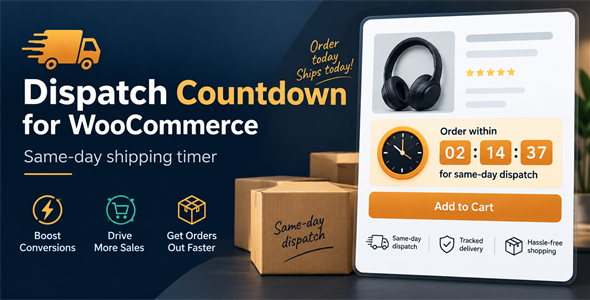
Dispatch Countdown for WooCommerce
Dispatch Countdown for WooCommerce adds a polished same-day dispatch countdown banner to WooCommerce product pages. It helps store owners create urgency, explain order cut-off times clearly, and show customers exactly when they need to order for dispatch eligibility.
The plugin includes global countdown controls, product-level visibility options, weekly dispatch schedules, overnight time range support, editable frontend text, selectable timer formats, and design settings for colors. Store owners can show the countdown on all products, only selected products, or exclude selected products from the global countdown rule.
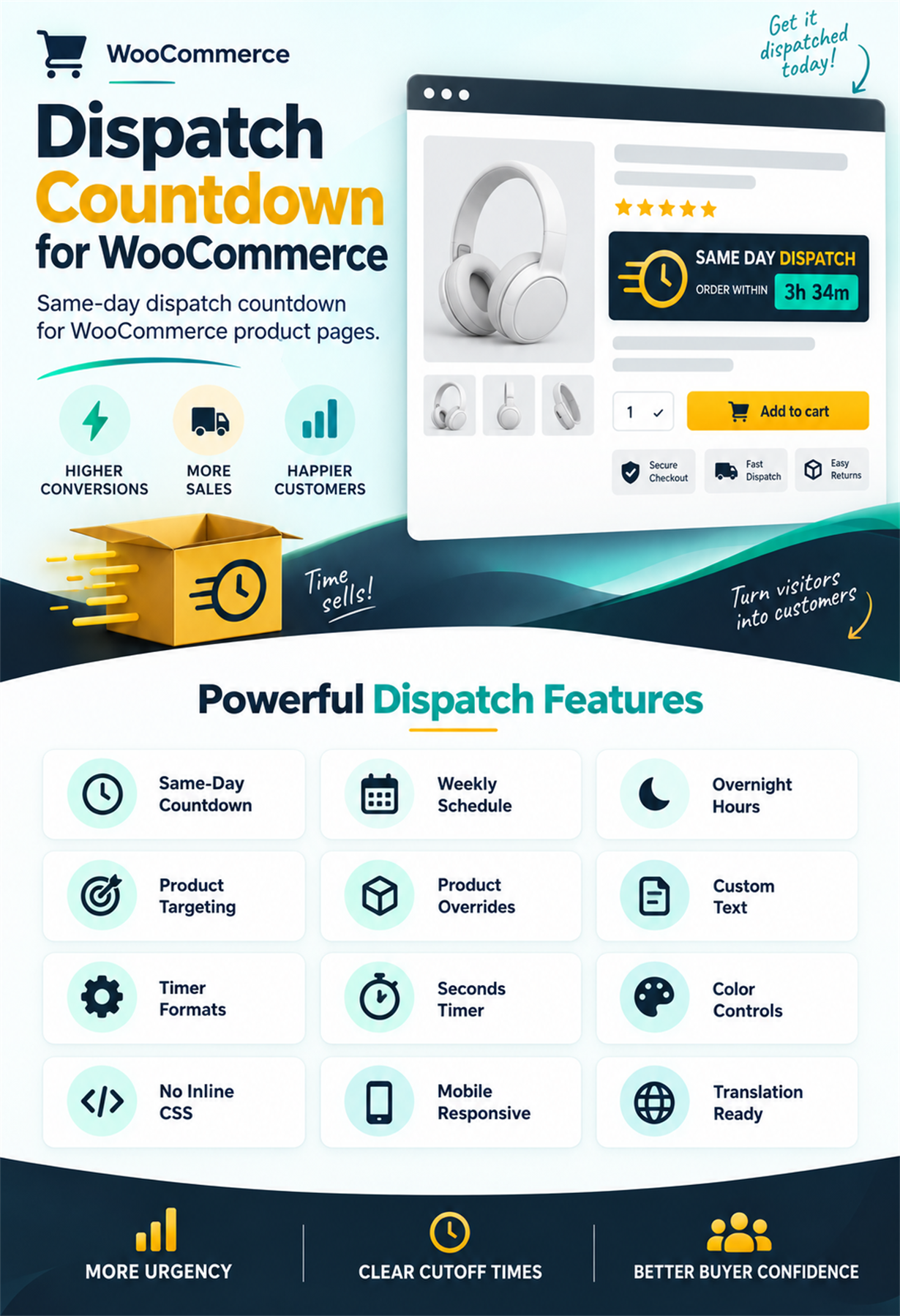
Same Day Dispatch Countdown
- Countdown banner for product pages – display a clean dispatch countdown above WooCommerce product details.
- Same-day dispatch message – show customers how much time remains before the dispatch cut-off.
- Automatic time calculation – the countdown updates based on the active schedule and store timezone.
- Multiple timer formats – use compact time, verbose time, or verbose time with seconds.
- Mobile responsive layout – the banner adapts cleanly on desktop, tablet, and mobile screens.
Flexible Weekly Schedule
- Create a different dispatch time range for each weekday.
- Leave a weekday blank to hide the countdown on that day.
- Use standard 24-hour time ranges such as
09:00-16:00. - Supports overnight ranges such as
10:00-04:00for dispatch periods that continue into the next morning. - Countdown automatically hides when the current time is outside the active dispatch window.
Global And Product-Level Display Rules
- Enable or disable the countdown globally from WooCommerce settings.
- Show the countdown on all eligible products.
- Show the countdown only on selected product IDs.
- Exclude selected product IDs from the global countdown rule.
- Override visibility per product with product editor controls.
Product Editor Controls
- Adds a Dispatch Countdown option inside WooCommerce product data settings.
- Use the global display setting for each product by default.
- Force the countdown to always show for a specific product.
- Force the countdown to never show for a specific product.
- Useful for stores with large catalogs where only selected products need dispatch messaging.
Custom Frontend Text
- Edit the countdown heading text from plugin settings.
- Edit the dispatch message shown beside the countdown.
- Edit the timer label shown above the remaining time.
- Use translation-ready strings throughout the plugin.
- Keep dispatch messaging aligned with each store’s shipping policy and tone.
Design And Color Settings
- Customize the countdown banner background color.
- Customize accent and highlight colors.
- Customize main text and message text colors.
- Customize the timer box background color.
- Generated custom CSS is saved as a separate stylesheet, with no inline CSS required.
Frontend Experience
- Premium dark banner design with a strong dispatch icon area.
- Clear heading, message, timer label, and remaining time display.
- Responsive typography that prevents long countdown text from breaking mobile layouts.
- Works neatly above standard WooCommerce single product content.
- Countdown refreshes automatically on the product page.
WooCommerce Compatibility
- Compatible with simple WooCommerce products.
- Compatible with grouped WooCommerce products.
- Uses WooCommerce product APIs for product checks.
- Requires WooCommerce 6.9 or newer.
- Requires WordPress 5.8 or newer.
- Requires PHP 7.4 or newer.
- Translation-ready with an included .pot language template.
Admin Settings
- Dedicated WooCommerce settings section for dispatch countdown controls.
- General settings for enabling the countdown and choosing display rules.
- Schedule settings for weekday dispatch windows.
- Text settings for frontend wording.
- Design settings for banner colors.
- Timer format setting for compact, verbose, or seconds-based countdown output.
Documentation Included
- Step-by-step installation guide.
- Backend settings guide with screenshots.
- Schedule setup instructions, including overnight dispatch windows.
- Product-level visibility setup instructions.
- Frontend countdown behavior explanation.
- Design customization explanation.
- Troubleshooting notes for visibility, schedules, cache, and styling.
= 1.0.0 = 16-09-2026
* [+] Initial marketplace-ready release.


