
Login to your account!
Join the World's Largest Web App Marketplace!
Great to see you here!
Let’s set up your account in just a couple of steps.
Forgot password?
Enter your username or email to reset your account.
Mighty School | School Management System Fingerprint & Face Attendance
By : Fuedevs Published On Tuesday, September 22, 2026, 11:18 In PHP Scripts
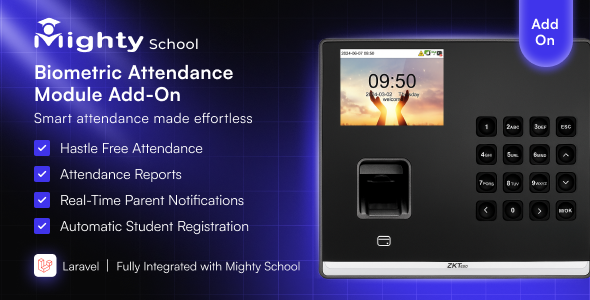
Automate biometric attendance for Mighty School using ZKTeco devices.
No manual entry. No CSV upload. Attendance syncs automatically from your ZKTeco device directly into Mighty School.
Demo Login
URL:
https://bio-attendance.codenichebd.com
Admin Email:
[email protected]
Password:
12345678
Documentation
Note: This addon requires the main Mighty School – All-in-One School Management System.
It cannot run as a standalone script.


Demo Login
URL:
https://bio-attendance.codenichebd.com
Admin Email:
[email protected]
Password:
12345678
Documentation
Note: This addon requires the main Mighty School – All-in-One School Management System.
It cannot run as a standalone script.
✨ Key Features
- Seamless ZKTeco device integration (UFace, MB, iClock, K-Series, SilkBio, etc.)
- Real-time attendance sync or scheduled syncing using cron jobs
- Unlimited devices supported
- Automatic mapping of biometric IDs to students & teachers
- Auto-generate Present, Late, Entry & Exit logs
- Multi-shift & multi-session support
- Attendance instantly visible in Admin, Teacher & Student apps
- Online/Offline device status monitoring
- “Sync Now” manual button + background sync queue
- Duplicate log prevention
- Full error handling & device connection testing
- Secure TCP/IP communication (LAN / WiFi)
How It Works
- Connect your ZKTeco device to your school network
- Add device details (IP, Port, Model) inside Mighty School
- Map biometric IDs with student/teacher profiles
- Enable Auto Sync (Cron)
- Attendance becomes fully automated
Supported All ZKTeco Devices
Dashboard & Device Management
- Attendance log history
- Last sync time display
- Total punches, skipped logs & error logs
- Device online/offline detection
- Button to fetch logs instantly
What’s Included
- Complete ZKTeco Attendance Addon Module
- Laravel API endpoints
- Device manager UI
- Cron automation tool
- SQL migration files
- Documentation & installation guide
️ Installation Guide
1. Download & Extract the Project
After downloading, extract the ZIP file and move the project folder into your local server directory:
- XAMPP: htdocs/
- WAMP: www/
- Laragon: www/
Example Path:
C:/xampp/htdocs/ZktecoAttendance/
Why Choose This Addon?
- Extremely stable & production-tested
- No core file modification (safe to update)
- Perfect for schools with thousands of students
- Fast, lightweight & optimized for performance
- Lifetime free updates
❓ FAQ
Does it work without a biometric device?
No. A ZKTeco device is required.
Is it compatible with all ZKTeco devices?
Yes, all devices that support TCP/IP communication (Port 4370) are supported.
Does it modify Mighty School core files?
No. It is fully modular and safe.
Support
We provide professional support for installation, device configuration & troubleshooting.


