
Login to your account!
Join the World's Largest Web App Marketplace!
Great to see you here!
Let’s set up your account in just a couple of steps.
Forgot password?
Enter your username or email to reset your account.
Labels & Barcodes addon for Medicine Care
By : ayaantec Published On Thursday, November 12, 2026, 07:46 In PHP Scripts
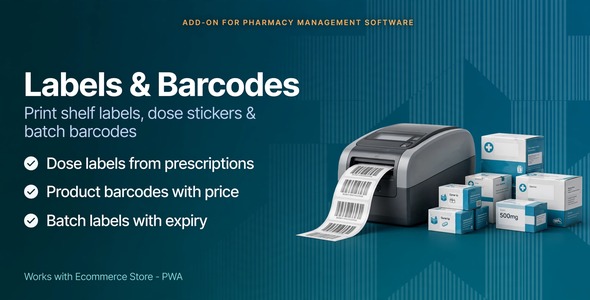
Labels & Barcodes for Medicine Care
Print shelf labels and patient dose stickers from the products and prescriptions already in the pharmacy. Install it from Settings → Add-on. After install, Labels & Barcodes appears in the sidebar for every logged-in staff user. No extra permission is required.
The add-on prints through the browser. Use any printer already installed on the computer, including a USB label printer or a normal office printer. There is no printer setup inside the software. Adhesive label paper is optional: use it when the sticker should go on the box, or use plain paper when the slip is handed to the patient.
Product labels
Print labels for products already saved in the store. A barcode is created automatically when a product does not have one. Each label shows the pharmacy name, medicine name, strength, price, and a Code 128 barcode. Choose how many copies to print, up to 40. Choose a label size: 50 × 30 mm, 40 × 25 mm, or a wider sheet. Print one label for each unit on a purchase, up to 40 labels per line. Type a custom label for something that is not a stock item. That label is marked so it is not used as a stock barcode. Scan or type a product barcode, SKU, or batch barcode to check the item. Checking does not change stock. Batch labels
Print a separate label for one incoming lot of a medicine. The label shows the batch number, expiry month, price, and its own barcode. A lot close to expiry is marked Use soon. A lot past its date is marked Expired. Use this when the same medicine arrives in more than one lot and the boxes need to be told apart on the shelf. Selling at the counter still uses the product barcode and takes the earliest expiry first. Dose labels
Print a dose sticker from a saved prescription: patient name, medicine, how to take it, and how many days. Or type a dose sticker when there is no saved prescription, with ready instruction lines such as morning and night after a meal. Add warning lines: Keep refrigerated, External use only, Shake well, and Finish the course. Several medicines from one prescription print on the same page. A Back button on the print page returns to the labels screen. It does not appear on the paper. Requirements
Medicine Care / Pharmacy Management System 2.0 or later PHP 8.2 or later Laravel 11


